🤖 Ori

Chatta con Ori, la tua assistente personale!

🤖 Apri Ori

Countdown banner

Dec 31, 2026 11:59:59

EURANNIT E19 12.7mm Portable Printer Handheld Thermal Inkjet Printer Portable Expire Date Counter QR Barcode Logo Coding Machine

EURANNIT E19 12.7mm Portable Printer Handheld Thermal Inkjet Printer Portable Expire Date Counter QR Barcode Logo Coding Machine

Forma del prodotto

SPECIFICATIONSApplicable industries: hotels, Garment Shops, Building Material Shops, Manufacturing Plant,MaAutomatic Grade: Semi-automaticBattery Included: YesBrand Name: EURANNITDouble-sided Printing: NoHigh-concerned chemical: NoneInk... Per saperne di più

SKU: 200001168:29#without ink;200009209:201646856

503 in stock Consegna entro 48 ore

★★★★★0 recensioni
🔥 1.000+ acquistati nel mese scorso

€92,86 incl. I.V.A.

    • ✓ Pagamento 100% Sicuro - Garantito

      shop pay
    15% off 15 - Buy 14 more to qualify

    Do you need a large stock? Contact us.

    20% off 20 - Buy 19 more to qualify

    Do you need a large stock? Contact us.

    • Sustainable and eco-friendly
    • Available in large numbers
    Call us: +393312798971Call us: +393312798971

    Available on working days between 9:00 am to 6:00 pm

      orizonshop.it@gmail.com

    Available on working days between 9:00 am to 6:00 pm

    🚚 Consegna e Supporto

    Spedizione Gratuita

    Reso 14 giorni

    Assistenza

    Pagamento Sicuro

    Descrizione

    SPECIFICATIONS

    Applicable industries: hotels, Garment Shops, Building Material Shops, Manufacturing Plant,Ma

    Automatic Grade: Semi-automatic

    Battery Included: Yes

    Brand Name: EURANNIT

    Double-sided Printing: No

    High-concerned chemical: None

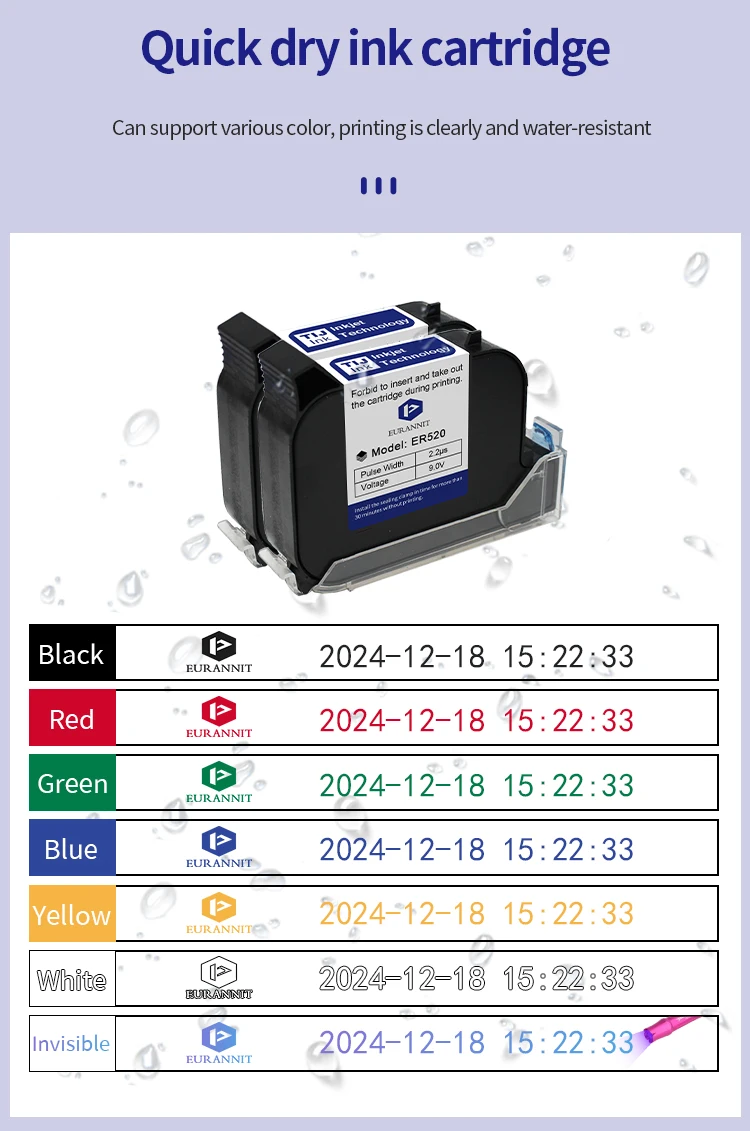
    Ink Type: Fast Dry Ink

    Ink cartridge capacity: 42ml

    Interface Type: USB

    Max Paper Size: A4

    Origin: Mainland China

    Paper Feed Mode: Auto

    Place of Origin: Hubei, China

    Plate Type: Handheld printer

    Print Height: 2-12.7MM

    Print Speed: 40ppm

    Printer Color: single color

    Product name: E19 Handheld Inkjet Printer

    Signal Connection Type: None

    Supports Network Printing: No

    Type: Inkjet Printer

    Use: Inkjet Printer

    weight: 840g


    Product Description:

    Product Name: Handheld Inkjet printer

    Print Head: Thermal Injet 2.5

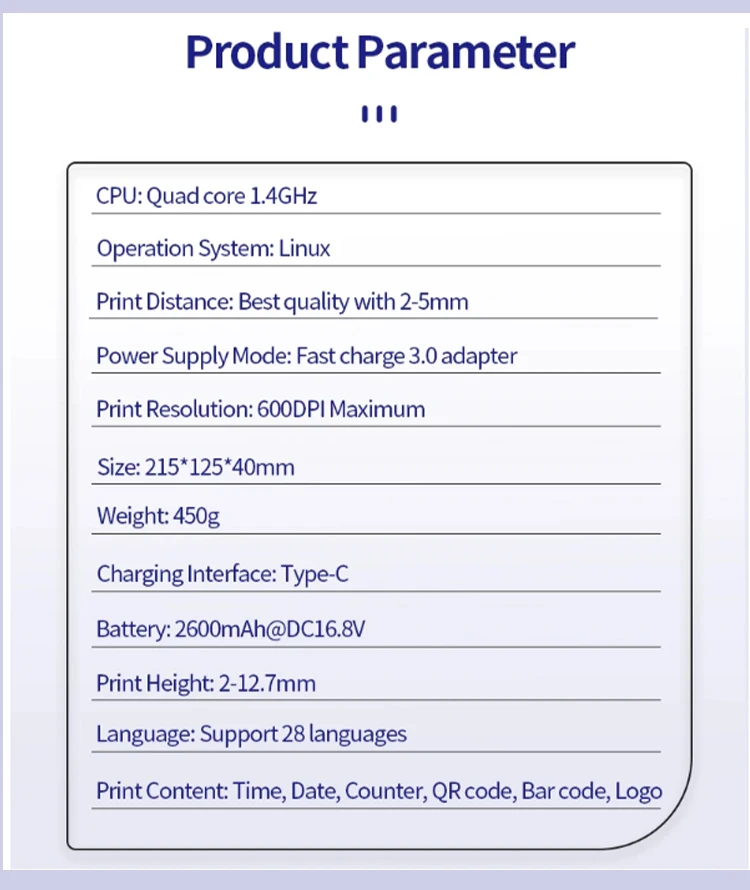
    CPU: Quad Core 1.4GHz

    Operation System: Linux

    Print Distance: 2-5mm

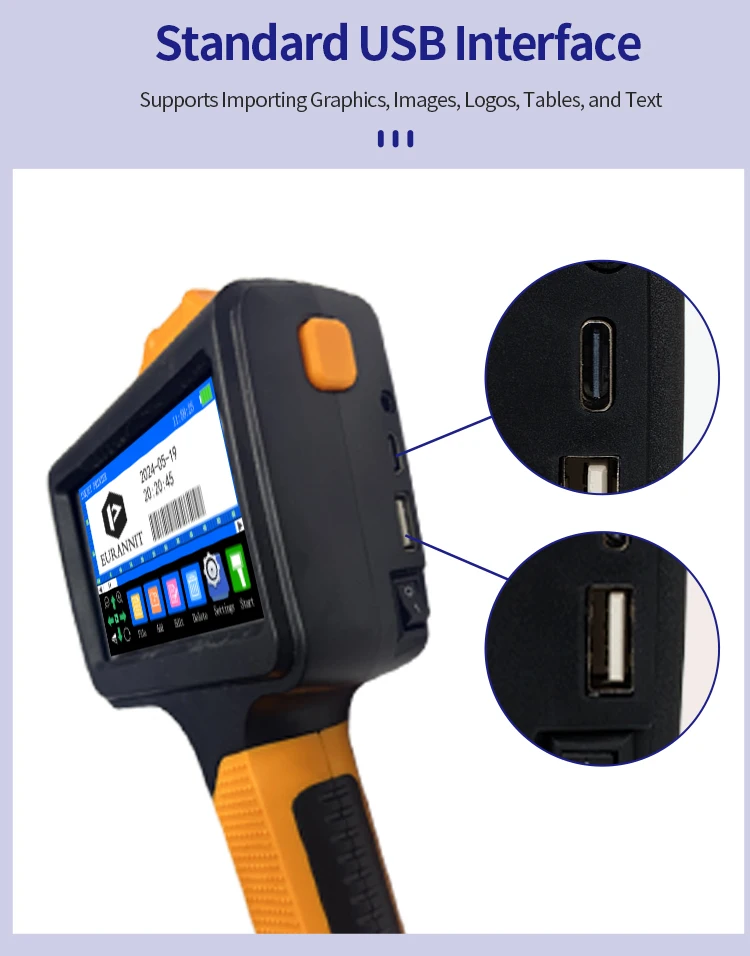
    Interface: USB, Type-C

    Print Resolution: 600dpi Maximum

    Weight: GW 0.45kg

    Dimension: 215*125*40mm

    Battery: 2600mAh, 16.8V

    Material of Printer: ABS+PC

    Print Height: 2-12.7mm

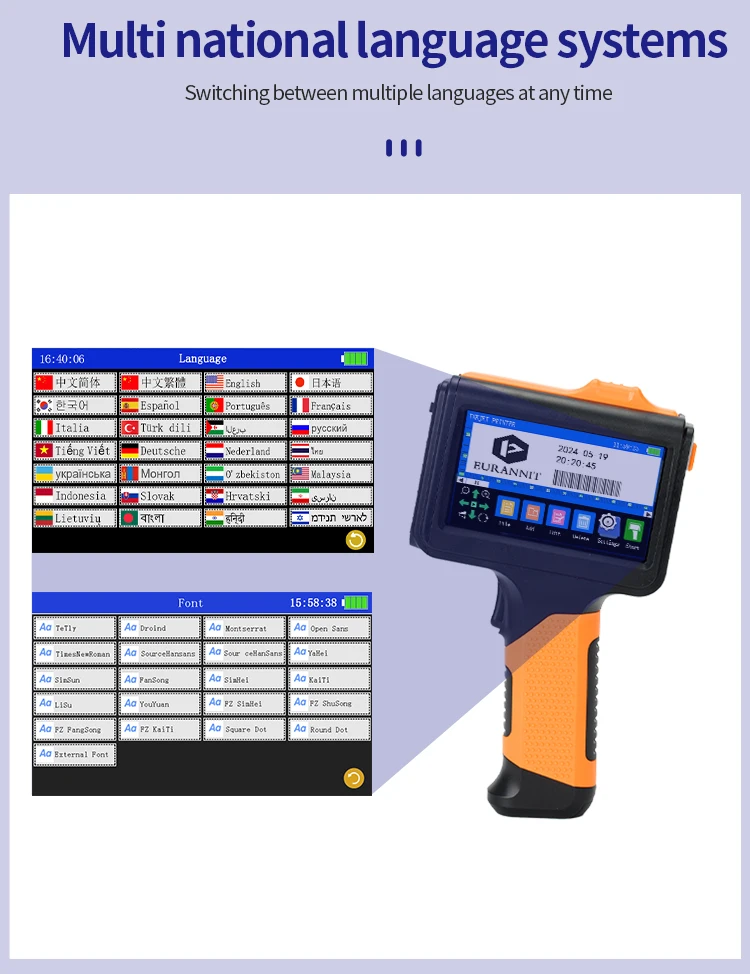
    System Language: 28 Languages

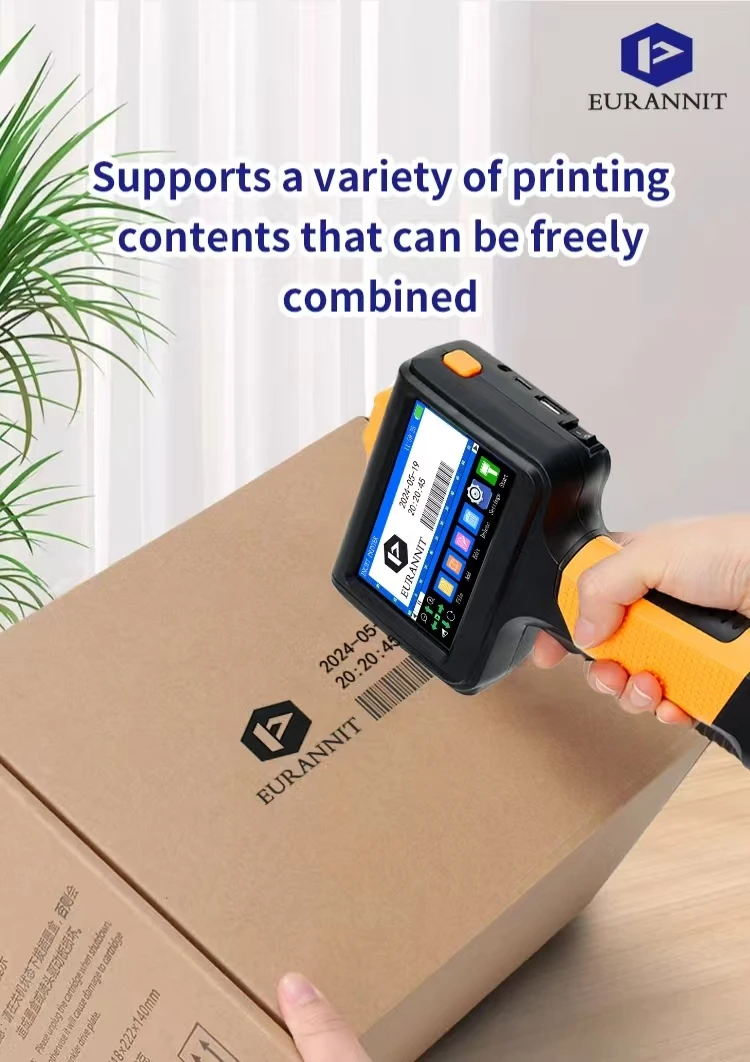
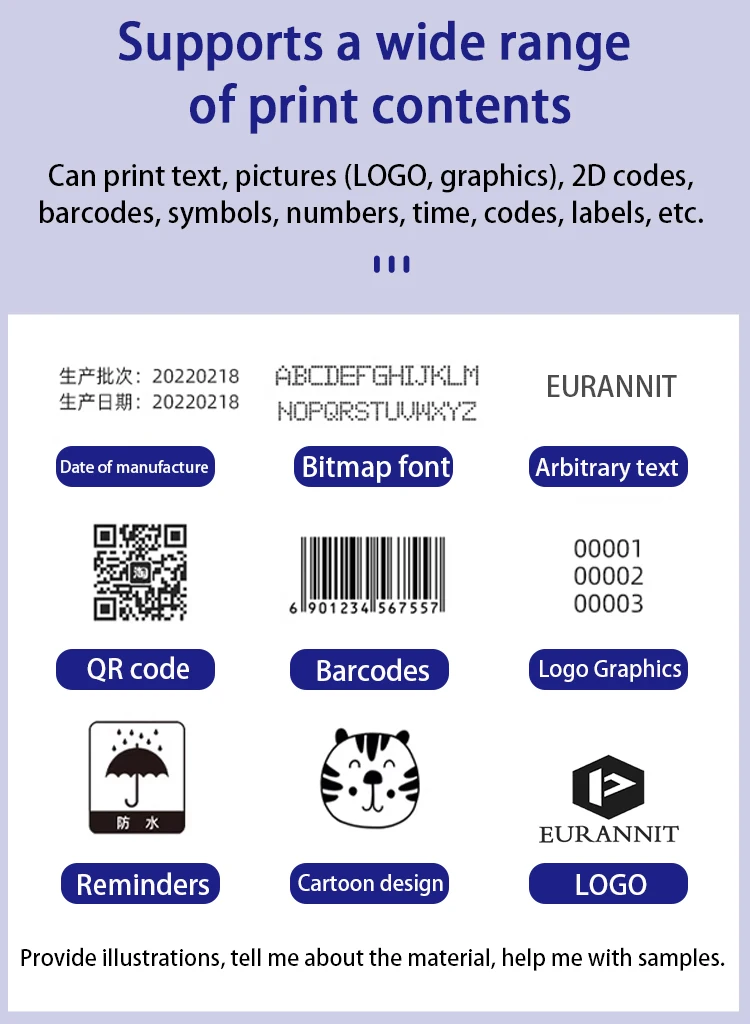
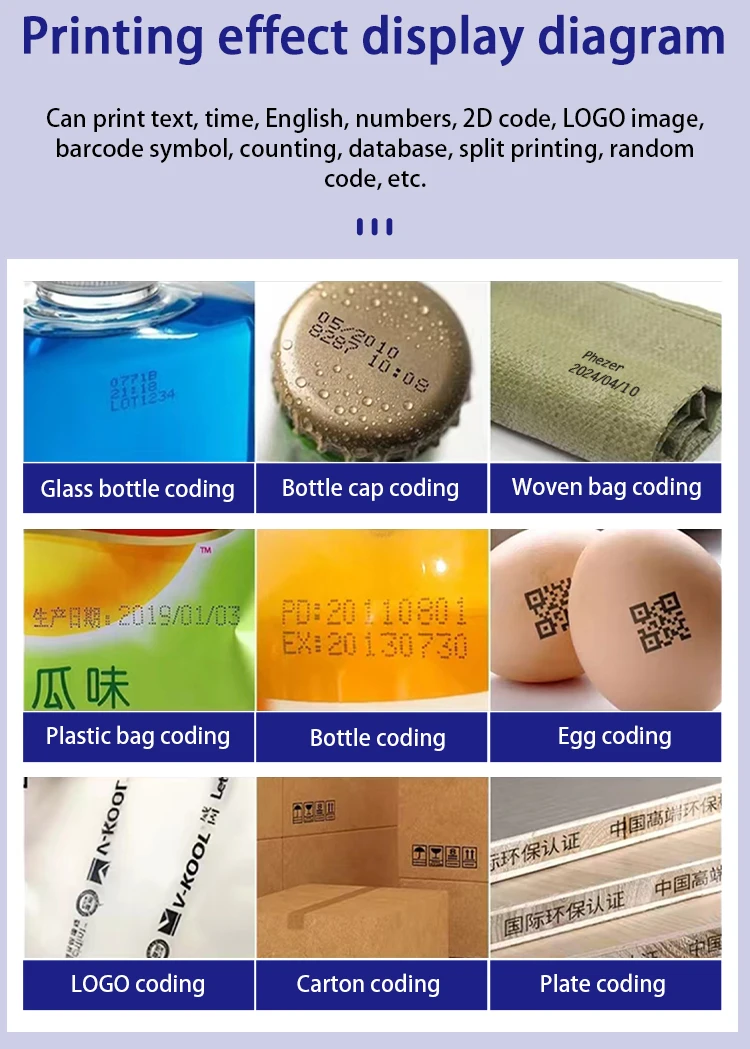
    Print Content: Time, Date, Counter, QR code, Barcode, Logo, etc.

    Printing Material: Wood, Carton, Pipe, Cable, Metal, Plastic, Uneven surface, etc.

    Product Advantage:

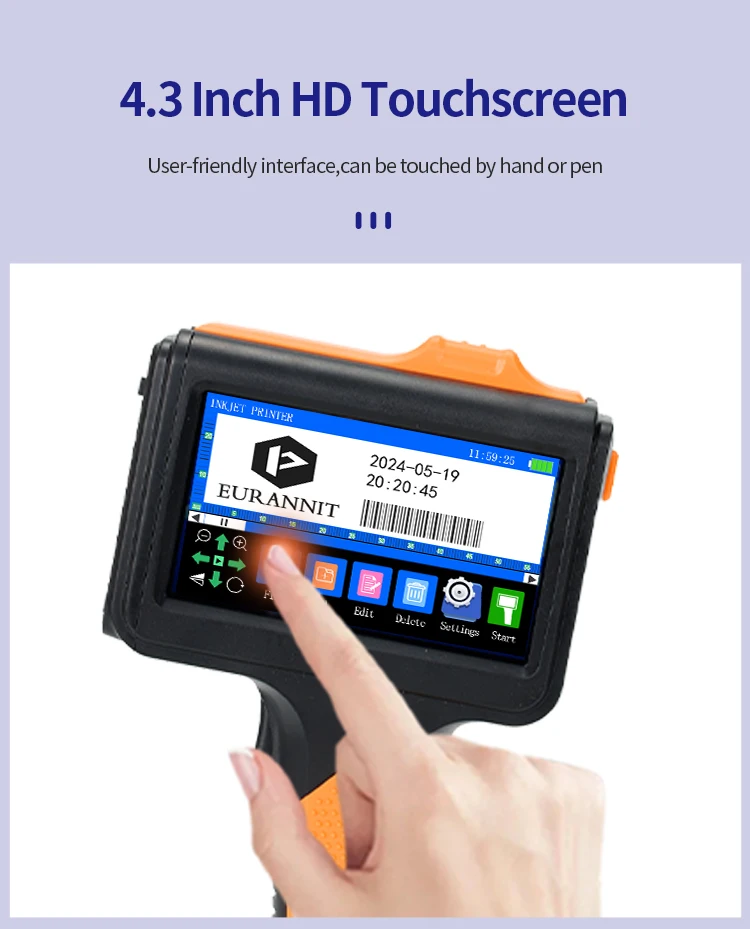
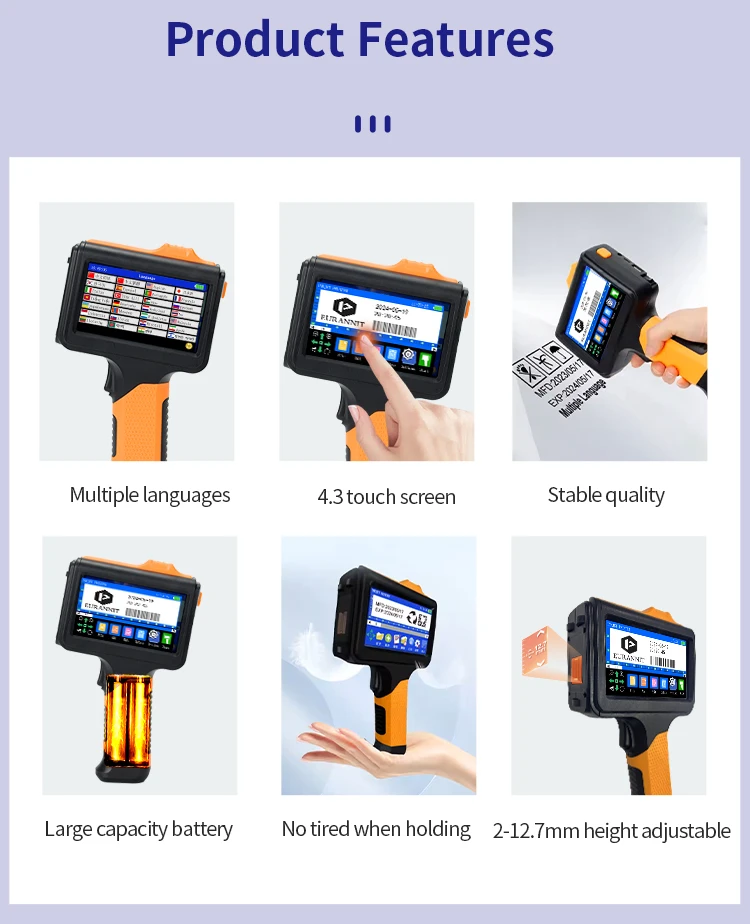
    1. The body has smooth lines, bright orange color, and the handle is ergonomic, so you won't feel tired holding it for a long time.

    2. It uses the world's leading cortex-A9 quad-core CPU, 360-degree all-round printing, no dead angle.

    3 High-resolution printing. Built-in SD card, permanent information storage. Dual nozzle design (DSND).

    4. When the print quality decreases, you can manually switch to another nozzle.

    5. Easy to operate, guaranteed to learn and master in 30 minutes. Closed ink tank structure, dust-proof protection chip and ejector.

    6. Super long battery life, 10 hours of ultra-long standby time.

    7. Built-in print head self-test, code reading, and cleaning functions. Handheld coding accessories are all available.

    NOTE:

    The price of orders shipped from China does not include import taxes. DDU!!!

    HS CODE 8443321300 to check duty.

    We only charge product price and freight cost, so you need pay import taxes to custom when your parcel arrives.

    Q&A(Questions You Concern Most)

    1.How to better extend the life of the printer?

    A:Before installing and removing ink cartridges, be sure to turn off the printer.


    2.How to better protect the ink cartridge nozzle?

    A:

    ①When not using ink cartridges, please close the protective cover in time.

    ②Dip a soft paper towel with a small amount of alcohol before using, and then gently wipe the nozzle in one direction.


    3.Why does the printer screen not work?

    A: When you find that the screen of the printer is not working, please calibrate the screen of the printer.


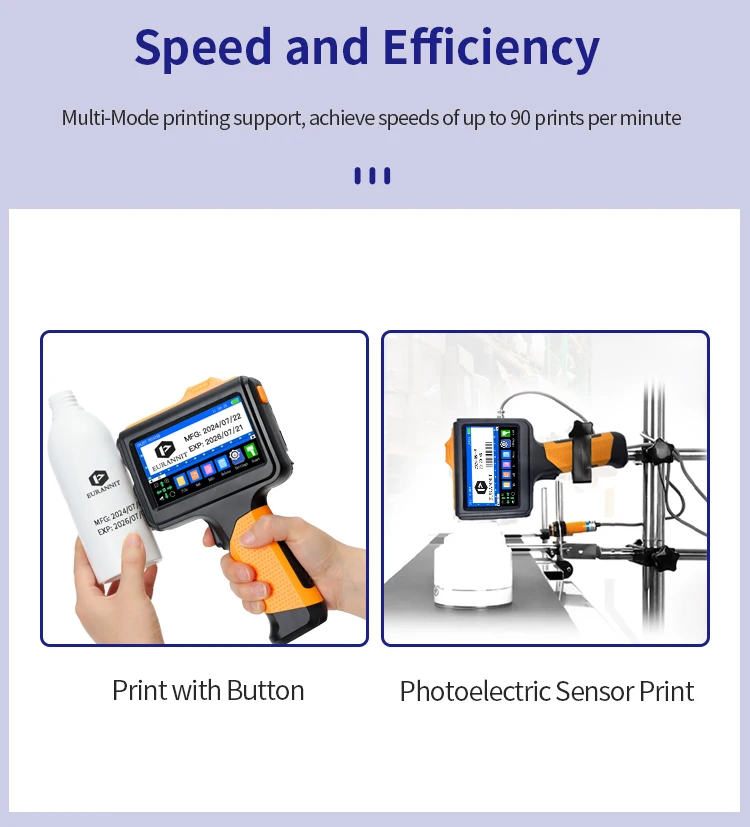
    4.Can the printer be equipped with photoelectric sensors?

    A: Yes, our inkjet printer has adapted photoelectric sensors. Please consult customer service before purchasing.


    5.Can the printer print on the bottle?

    A: Yes, we will provide you with a positioning plate for free. Please consult customer service for specific steps.


    6. What should I do if the printer cannot print?

    A:

    ①Check whether the rubber ring on the left side of the printer is off (not in the groove).

    ②Check if there the ink cartridge is installed properly.

    ③Switch the nozzle of the printer in the settings.

    ④After turning off the printer, reinstall the ink cartridge.

    ⑤If you have completed all the above operations and the machine still cannot operate normally, please contact customer service in time.


    7.The printer can work, but the printing effect is not clear, what should I do?

    A:

    ①Check whether the ink cartridge nozzle is clean and dry, and wipe the nozzle carefully with a clean soft tissue.

    ②Take out the ink cartridge when the printer is off, shake the cartridge several times, and stick a clean tissue on the

    surface of the nozzle to divert the ink.(Ask customer service for operation videos)

    ③Switch the nozzle of the printer in the settings.

    ④If you have completed all the above operations and the machine still cannot operate normally, please contact customer service in time.


    8.What should I do when there is a printer phenomenon of wire drawing?

    A:

    ①The ink cartridge is quick-drying. When there is a phenomenon of wire drawing, please wipe the nozzle carefully with a clean soft tissue and switch the nozzle of the printer.

    ②When not using the ink cartridge, please install the cover in time


    9.Can the printer be charged?

    A: Yes.

    ①Please use our special charger to charge the printer.

    ②When the printer is stored for a long time and not in use, it is recommended to safely charge and discharge it every three months.


    Specifiche

    • Weight: 200gr
    • Usage: Indoor & outdoor

    Pro e contro

    • Sustainably produced
    • Ideal for everyday use
    • May discolor in direct sunlight

    Collezioni che potrebbero piacerti

    Recently viewed products

      Iscriviti alla nostra newsletter

      Get the best offers and personal advice.

      Never miss any news and be the first to know about sale and offers.

      Login

      Hai dimenticato la password?

      Non hai ancora un conto?
      Creare un profilo