SPECIFICATIONS
4G+WIFI: G20/T10/T8
Accessory Type: Machine/Connector/Frame/RCA cable/USB cable * 2/GPS
Brand Name: srnubi
Built-in CD player: No
Built-in DVD Player: No
Built-in Screen: Yes
Category: Car multimedia player
Certification: CE
Chipset: T10: 8 core 2*A75+6*A55
Digital Media Format: Mp3,MP4,WMA,JPEG
Din: Double Din
Display Size: 9"
For Vehicle Brands/Model: Nissan
Interface: USB
Is touch screen: Yes
Item Size: 23*14*7
Item Weight: 1.75
Material: Metial+Plastics
Max External Memory: 128G
OSD Language: Chinese (Simplified),Chinese (Traditional),Arabic,Azeri,Belarusian,Polish,Danish,German,Russian,French,Finnish,Korean,czech,Latvian,Lithuanian,Macedonian,Portuguese,Japanese,Swedish,Turkish,Ukrainian,Hebrew,Greek,Spanish,hungarian,Italian,English,Vietnamese
Operating System: Android 12
Origin: Mainland China
Out Power: 4*45W
Preset Station: FM 87.50
Processor Speed: T10: 2.0GHZ
Processor Type: T10: Octa-UIS7862(8 core 2*A75+6*A55)
QLED 1280*720: G20/T8
RAM: 8G/6G/4G/2G/1G
ROM: 128G
Resolution: 1024*600/1280*720P
Special Features: wifi function,Support 3G Network,Support 4G Network,Built-in GPS,Charger,Mobile Phone,MP3 players,Voice Control,dsp,CarPlay,android auto,Reversing Input,Split Screen,Support steering wheel control
TF/Micro SD Slot: 2
Tuner Type: T10/S10/X10: FM/AM
Voltage: 12 V
Warranty: 365 days
Wireless Carplay: G20/T10/T8
Attention:
Qashqai has many different models from different years. For our products, if your original center console is similar to Model A and does not have the original car radio screen, you can purchase it directly, plug and play; If your original car center console is similar to Model B and has an original car radio screen, you will need to purchase additional Canbus cables yourself.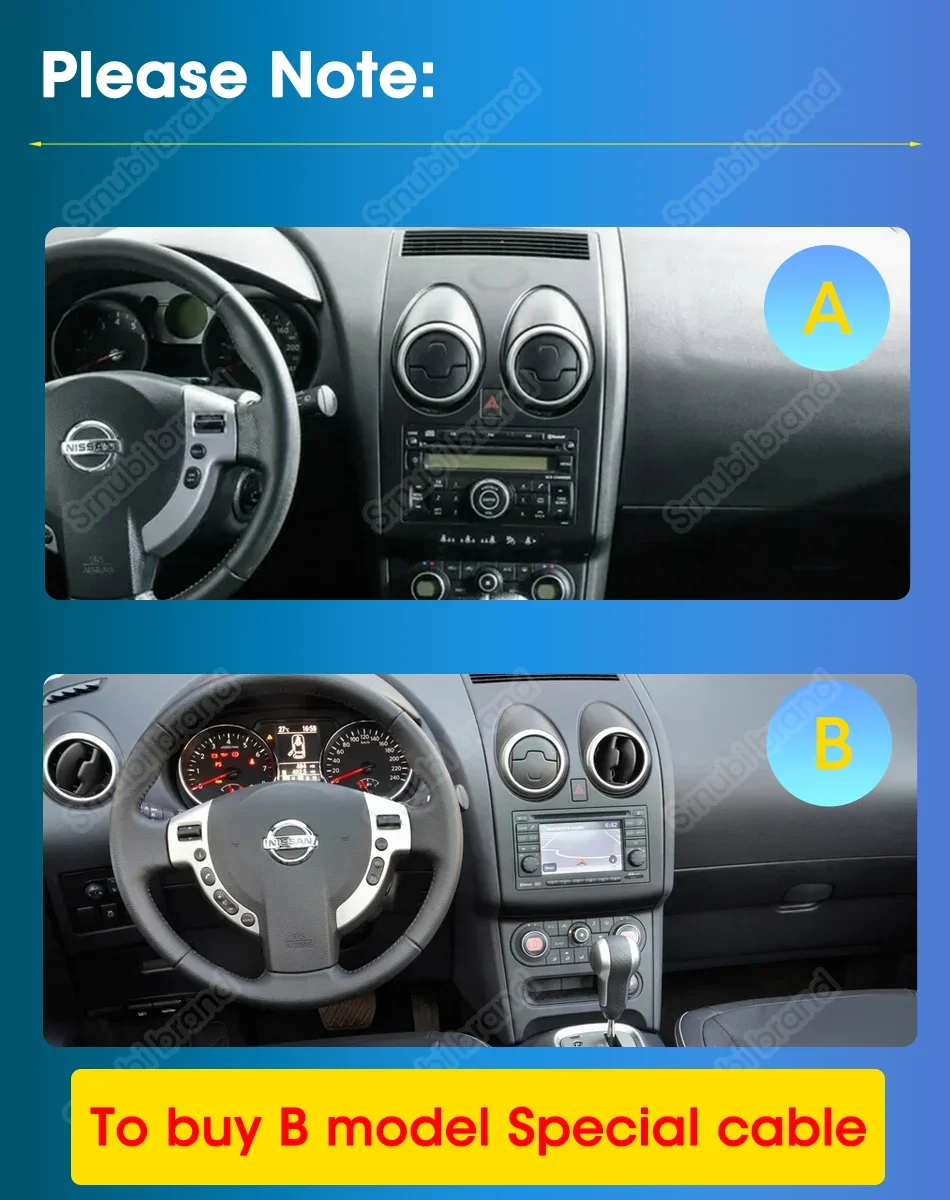
After Sales FAQ:
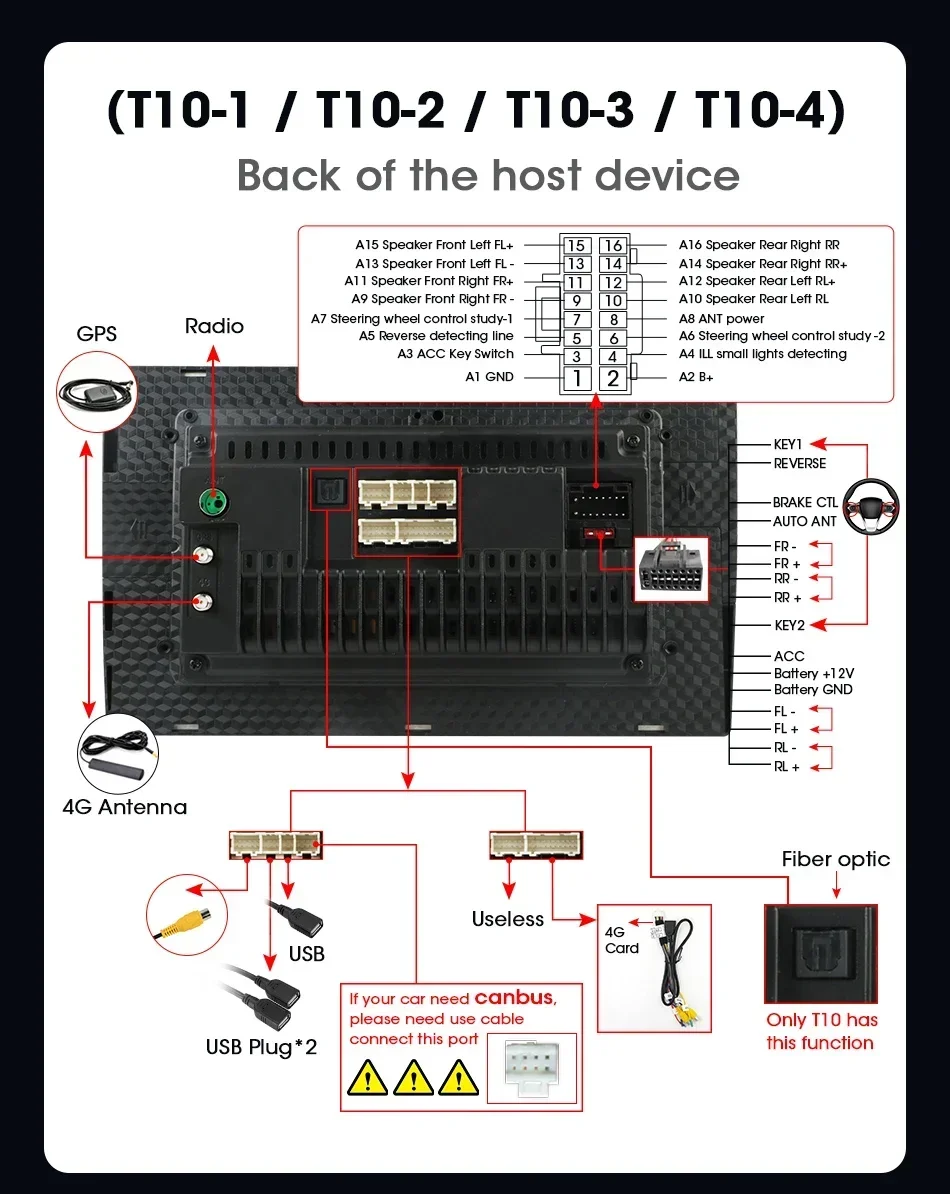
1.This product supports steering wheel control, please don't forget to learn the buttons on the steering wheel. If the model you purchased includes a Canbus box, be sure to set the accurate Canbus protocol;
2.The power cable is plug-and-play, please note that not all original because plugs need to be connected;
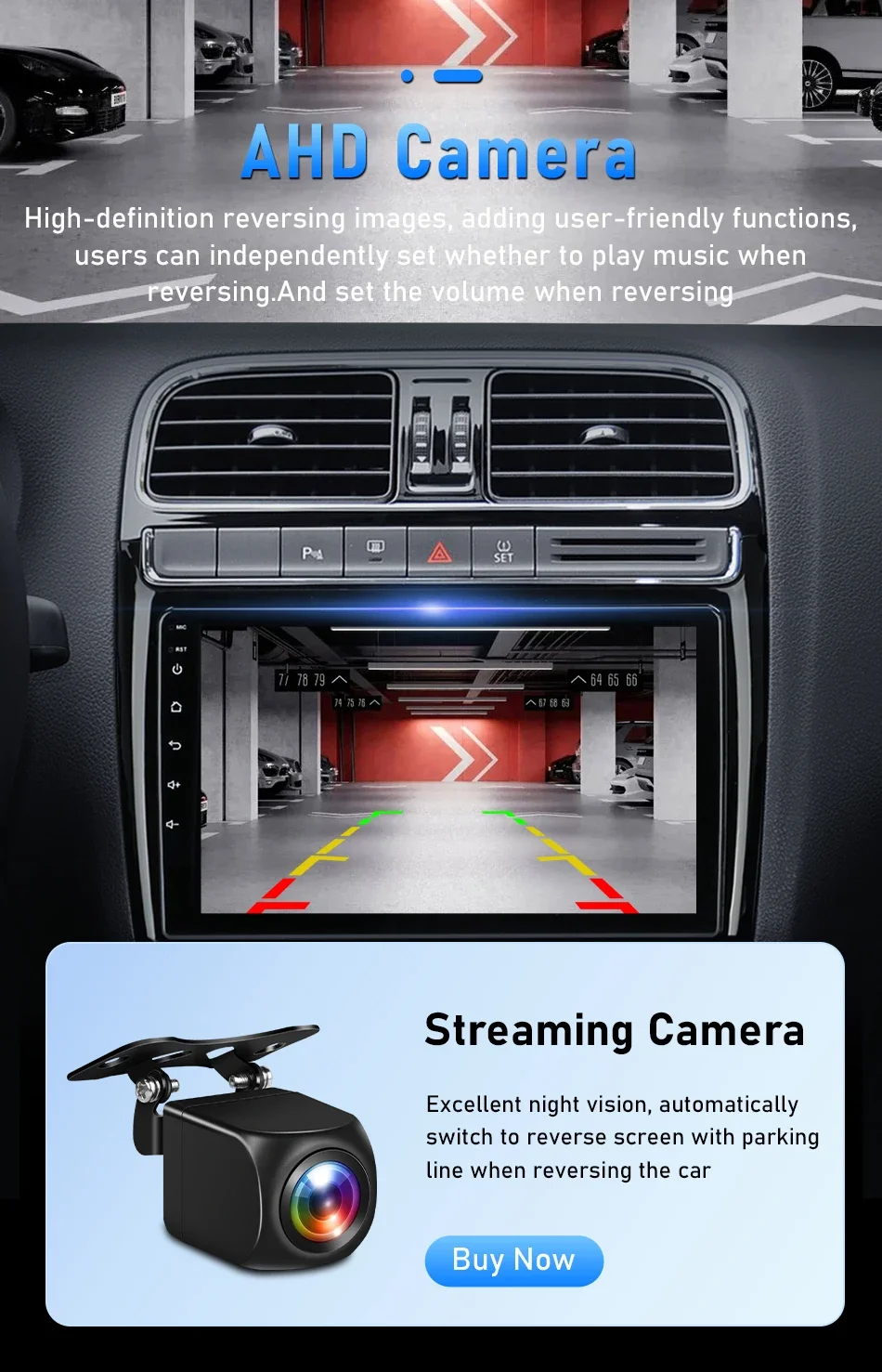
3.Supports aftermarket rear view camera in AHD 1080P,AHD720P, CVBS, PAL, CTSC format ,please note: T3L version does not support AHD1080P;
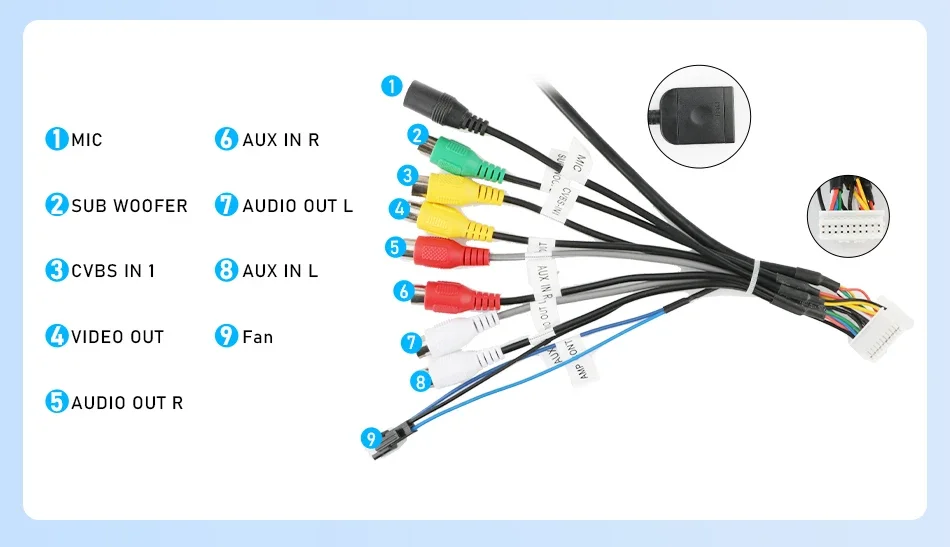
4.Multimedia has a built-in microphone. In addition to K3/R3, you can also check whether the model you purchased comes with an external microphone based on the configuration diagram.
5. Srnubi Europe Store after-sales service email : 473752258@qq.com;
After receiving the order, if you have any questions, please contact our email and we will reply to you as soon as possible and provide you with a perfect solution. Please add the order number in the email so that we can find your order on aliexpress;
6.Radio setting interface password:
K3/T10/T3(T3L)/T4(T3L plus)/T8(T3L Max): 123456,8888,7890,000000,22558800,1234;
【Powerful chip】 this car radio G20-C/D/E/F model adopts Qualcomm 8-core 2.0GHz, enabling fast response to daily tasks and excellent performance;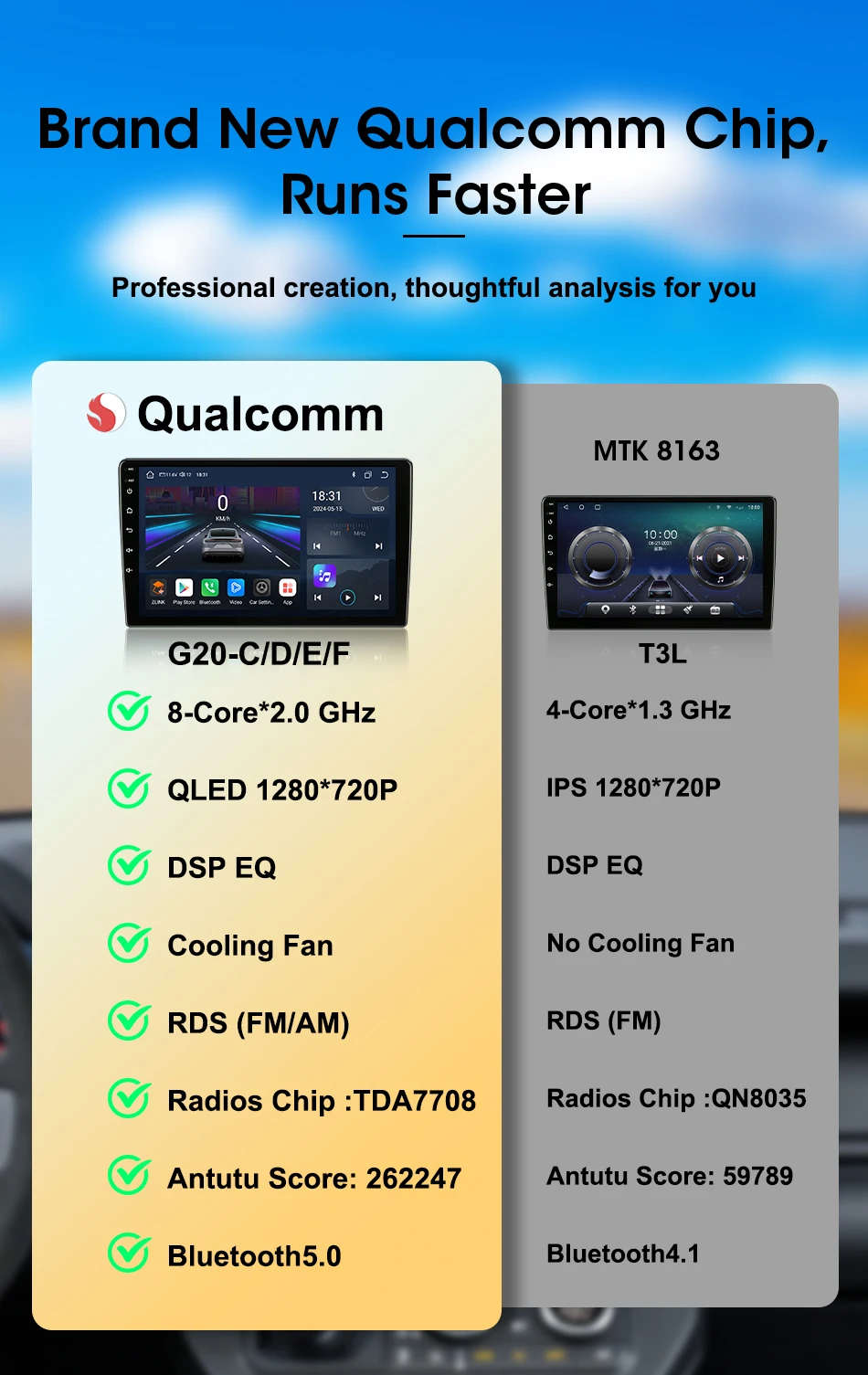
The higher the Android version, the larger the memory; the more functions it will have, the more stable the system will be.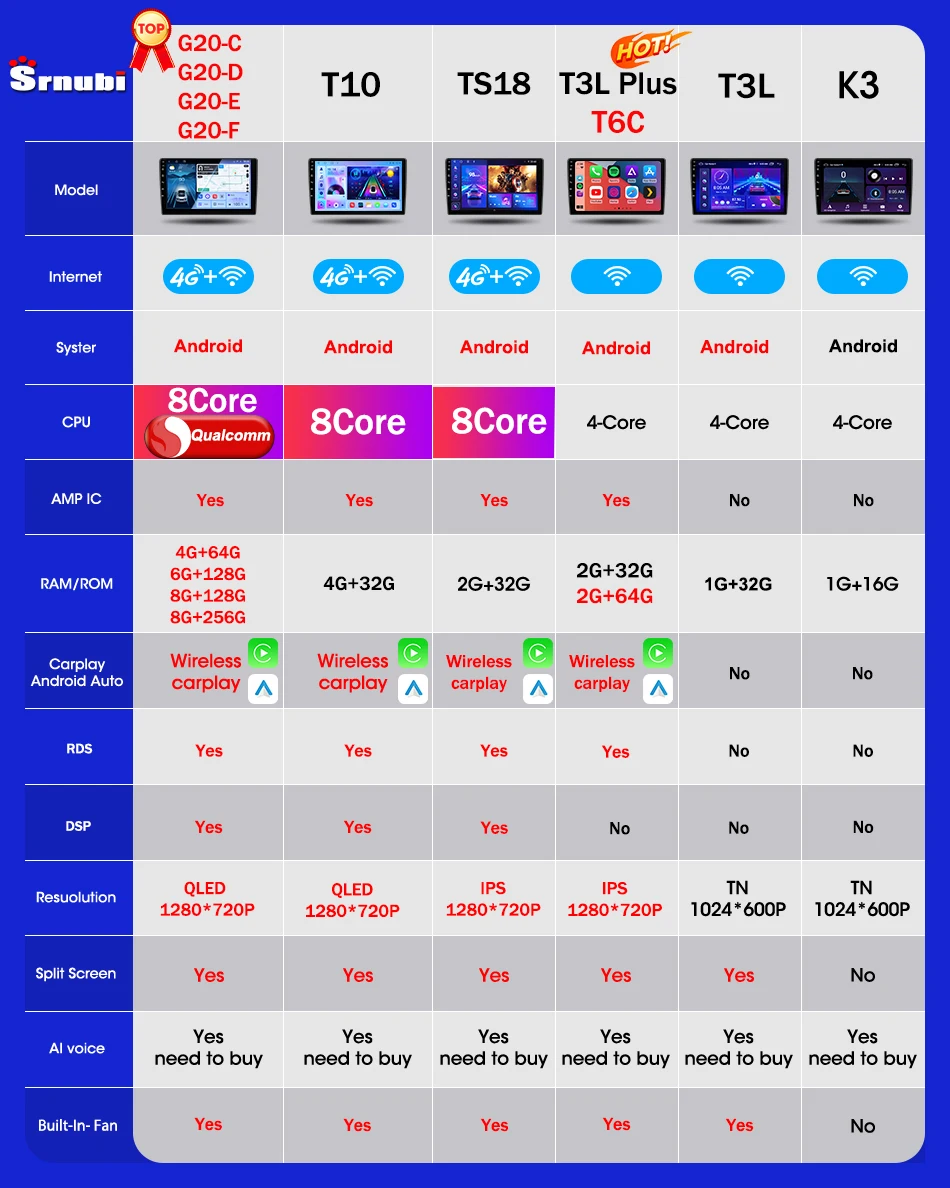
Outstanding Performance Powered by Advanced Chips
The new Qualcomm processor delivers high performance and low power consumption, overtaking ordinary 8-core processors, delivers smooth operation without any lag or stuttering; 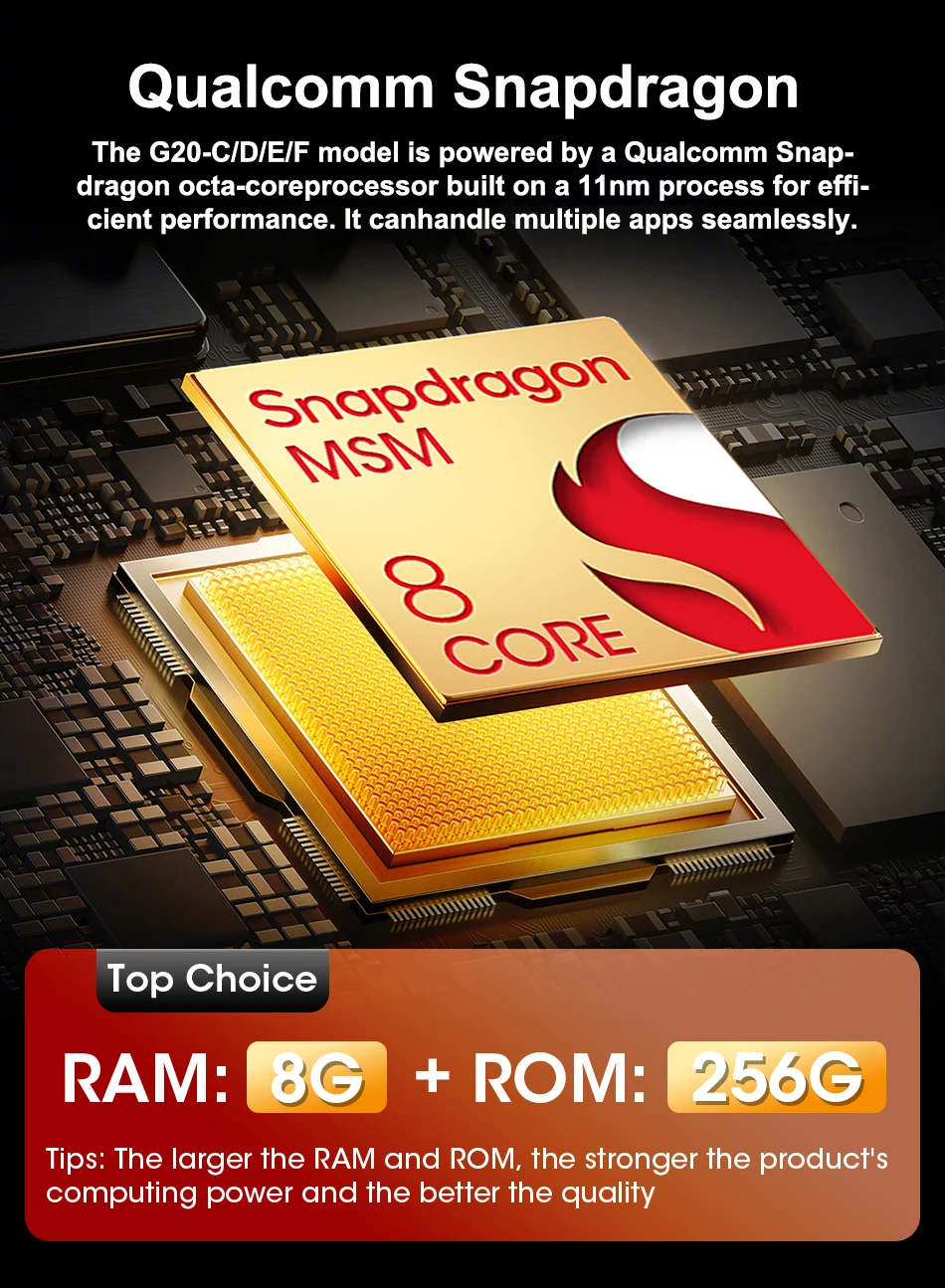
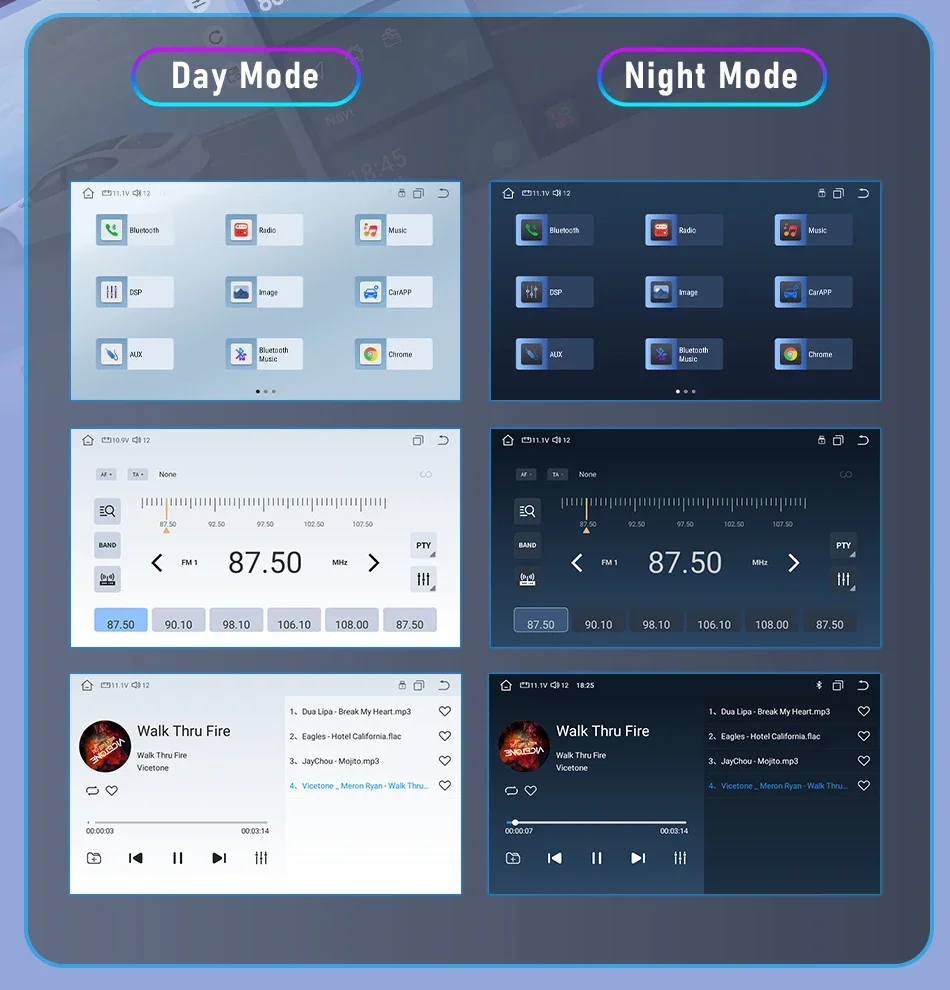
Enhance your driving experience with our Android radio's Day and Night modes. During daylight, the mode brightens the display for clear visibility, while at night, it switches to a softer, darker theme to reduce glare and ease the strain on your eyes, ensuring safer and more comfortable driving, no matter the time of day. 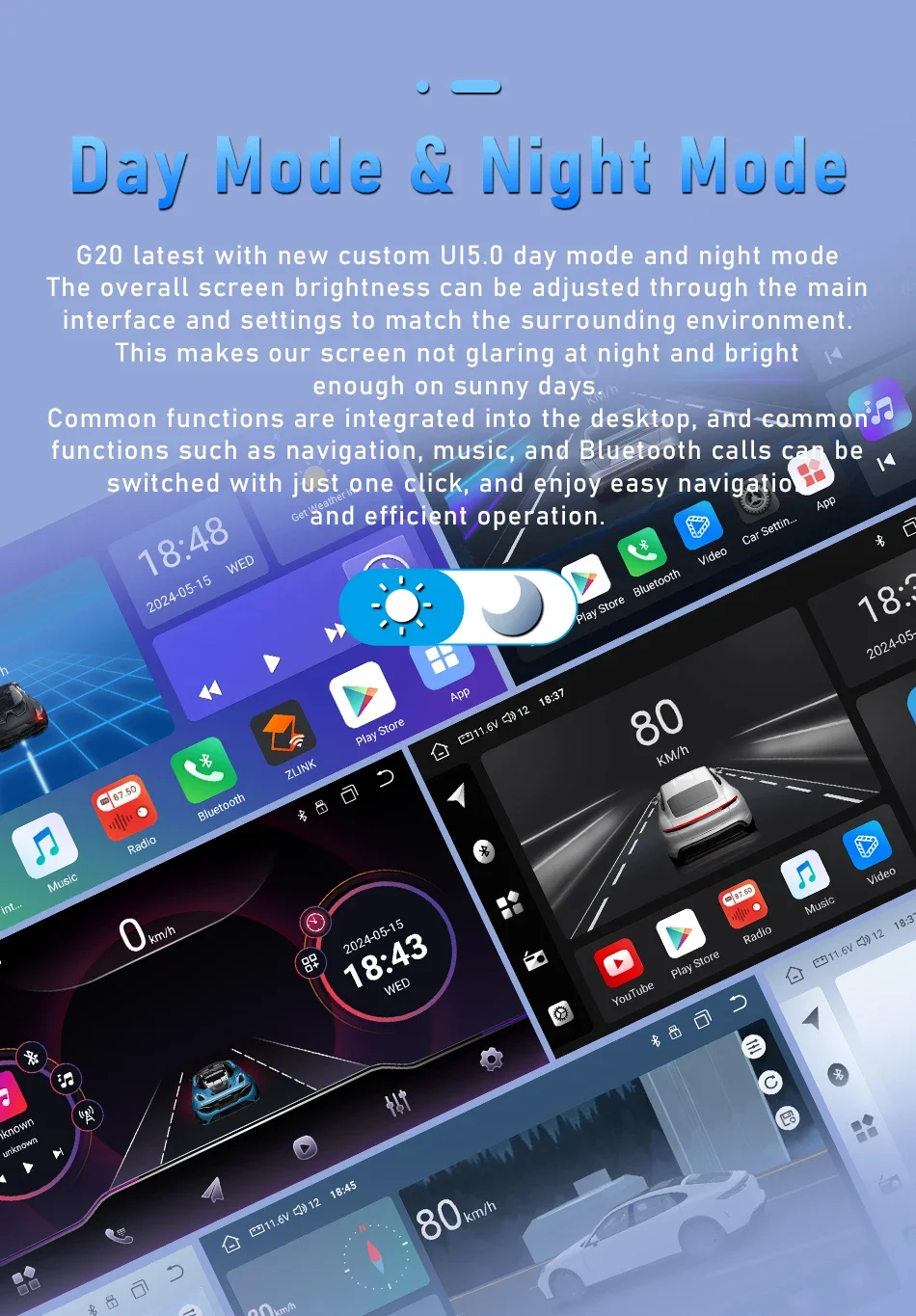
Use your phone in a smarter, safer way while you drive. Get directions, make calls, send and receive messages, and enjoy your favorite music. Siri & Google Assistant can help you do all of these things. All you have to do is ask. 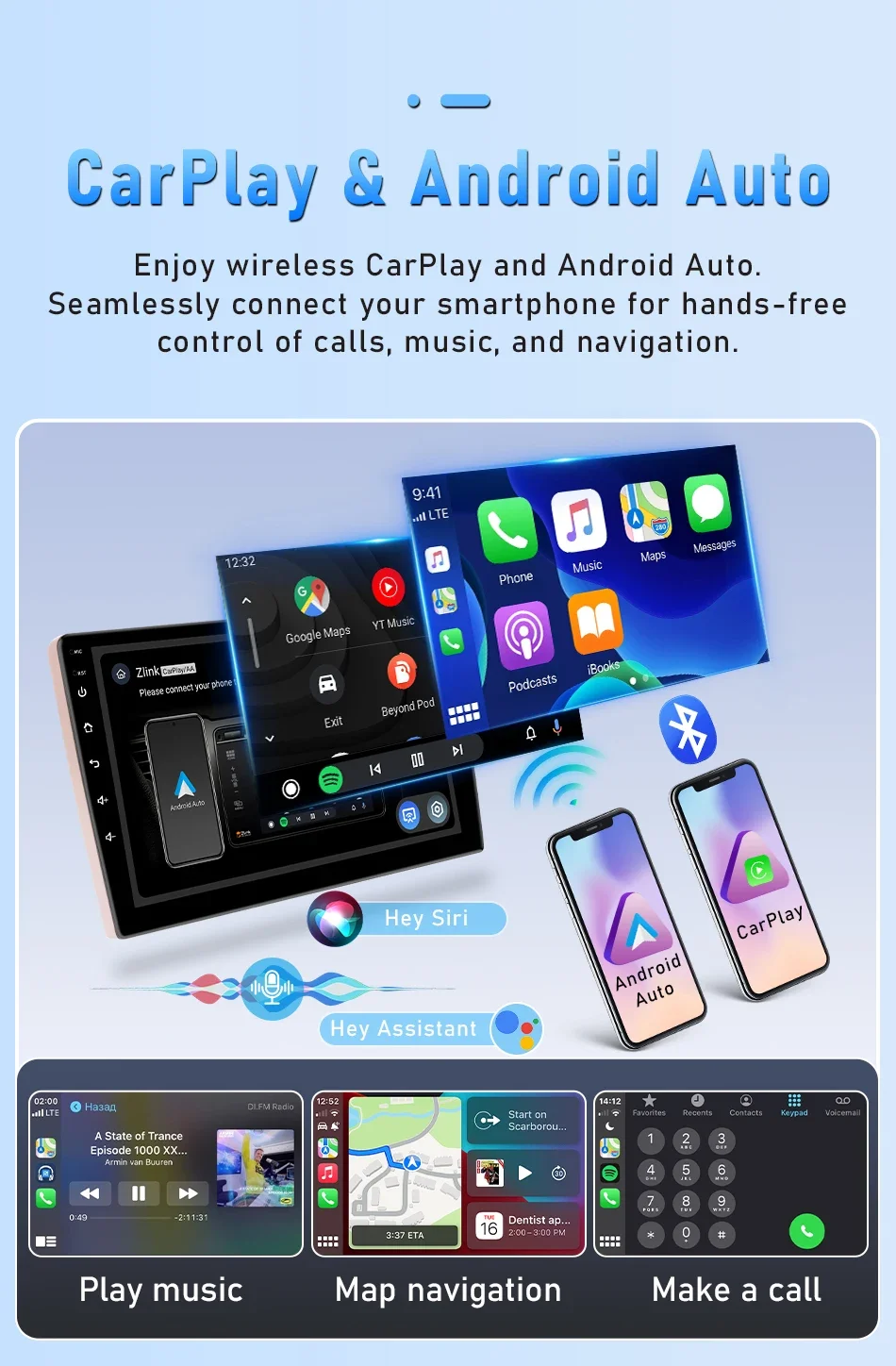
You can use the vehicle's steering wheel buttons to answer and end calls, play music, switch modes and much more, so that you can focus on your driving.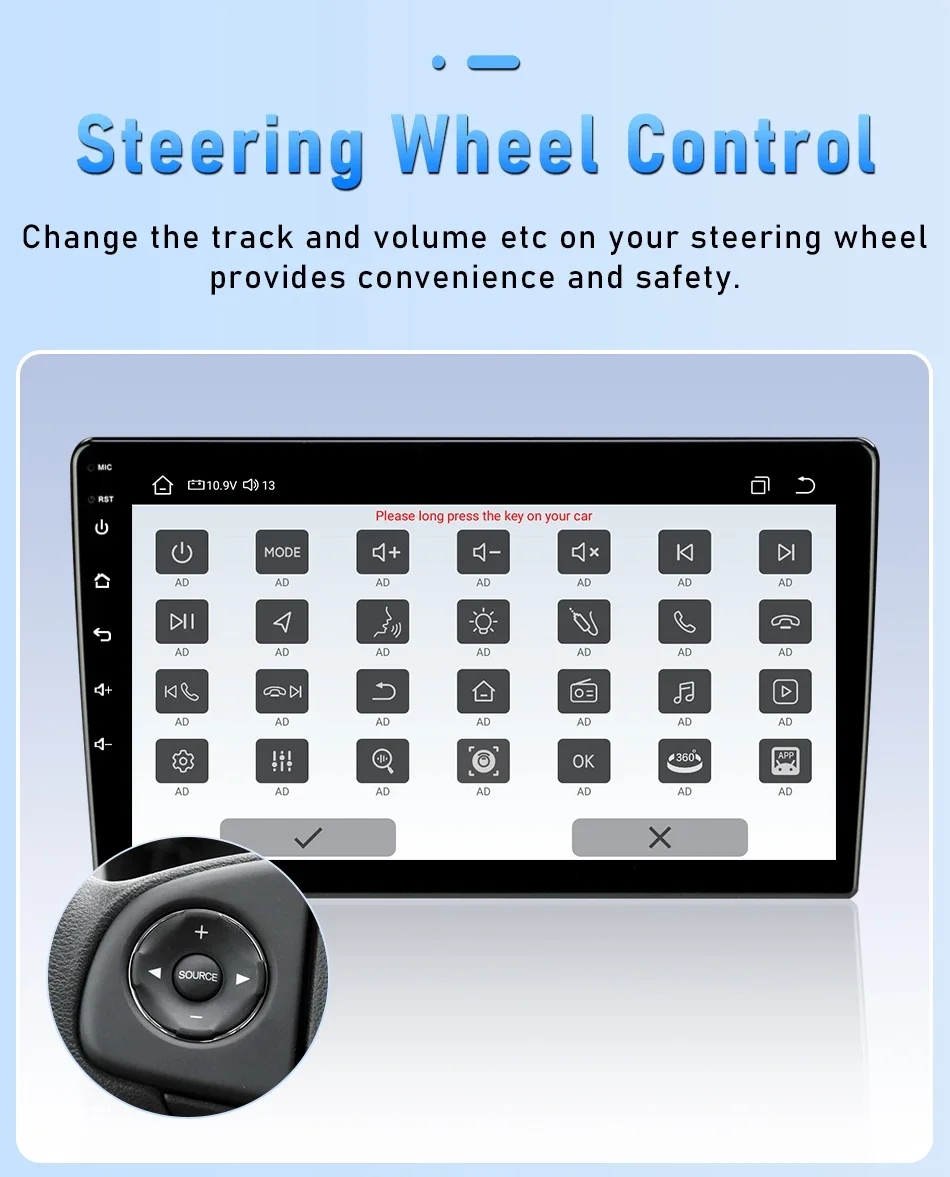
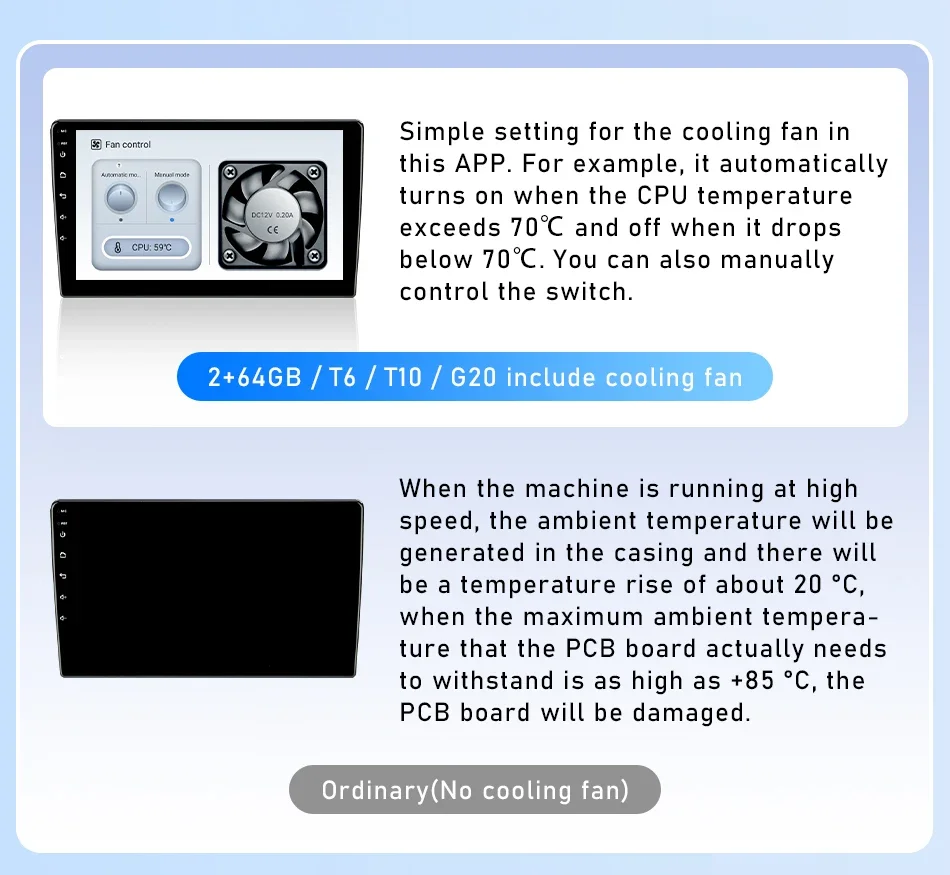
T10 series radios have been upgraded to automotive grade fans: built-in fans! Installation is simpler and more aesthetically pleasing. Its cooling effect will be better.Respond to and solve the abnormal operation caused bythe high temperature and long-term use of the machine insummer, such as restart, abnormal touch, abnormal funct-ion, etc... 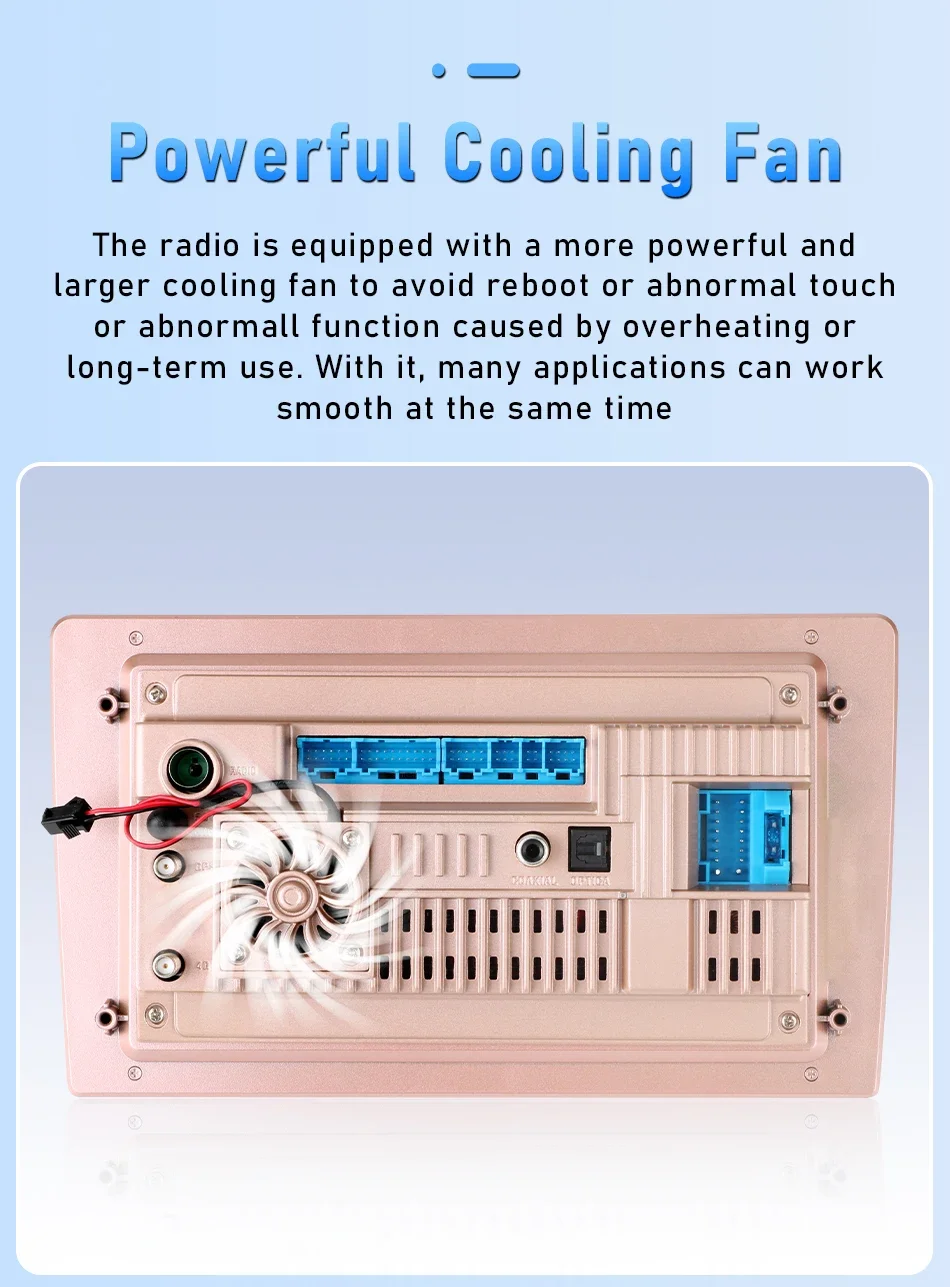
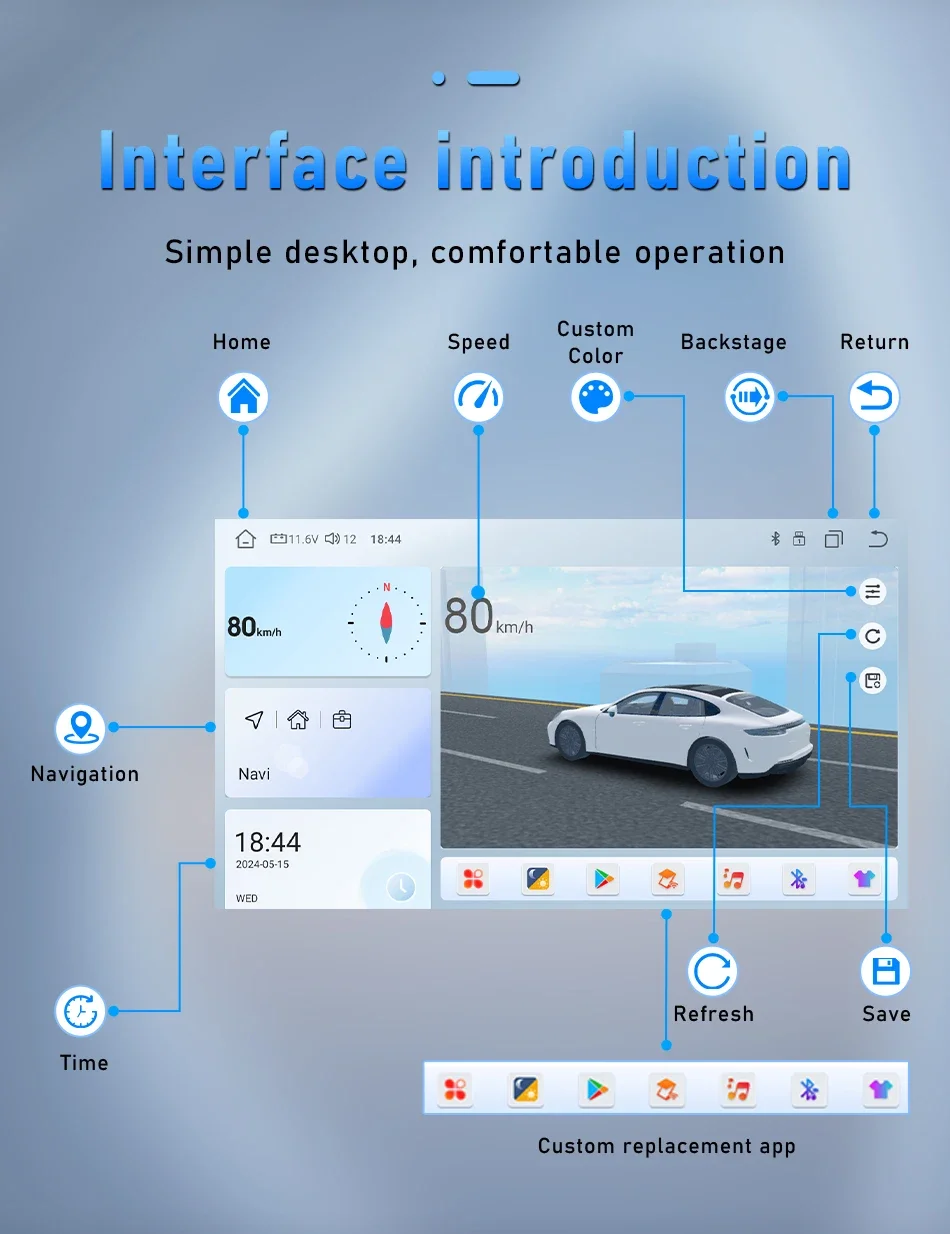
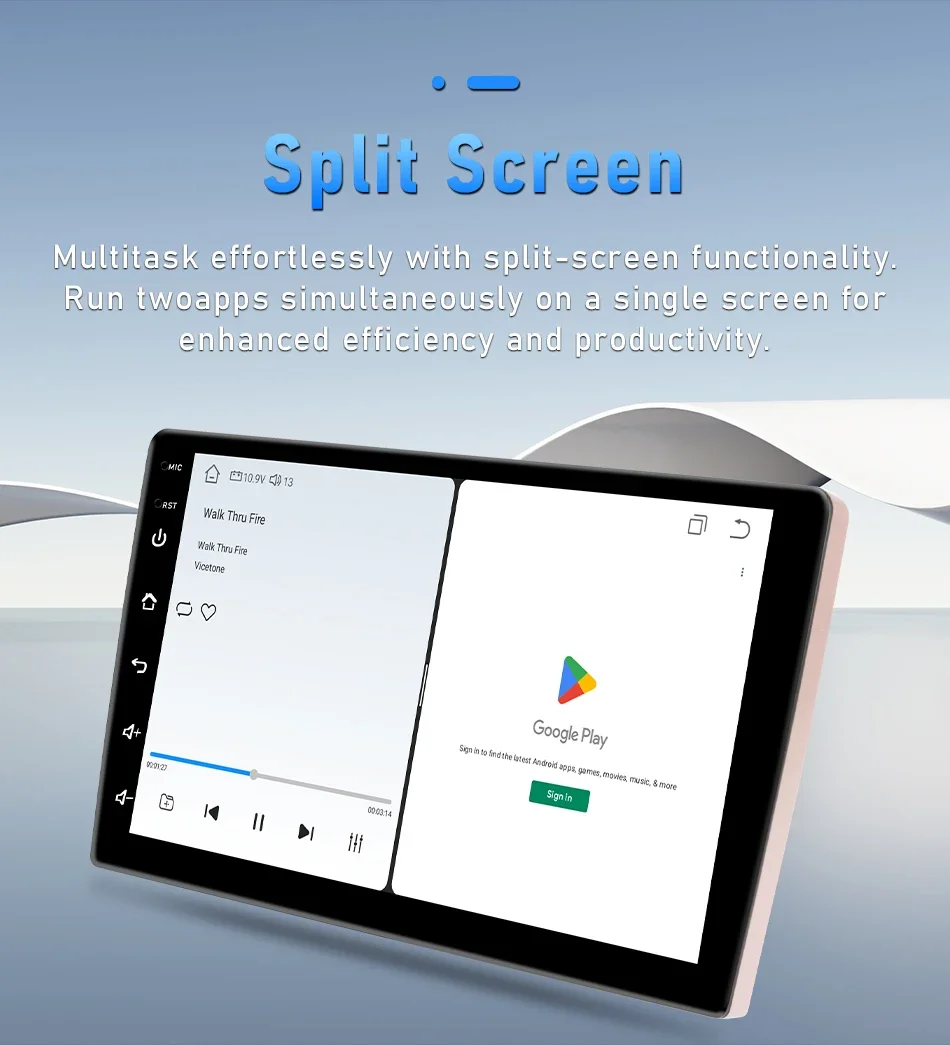
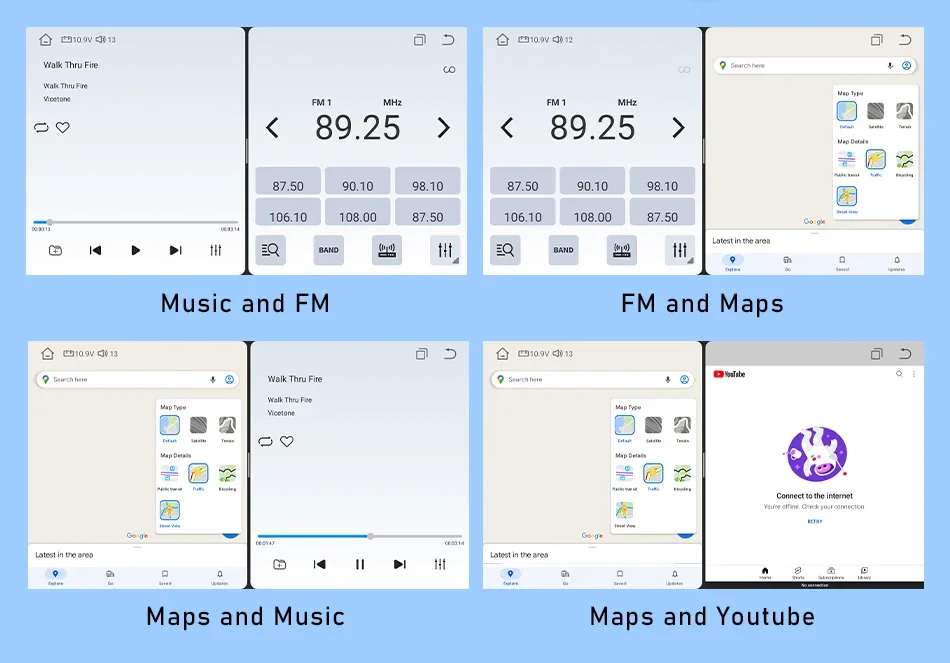
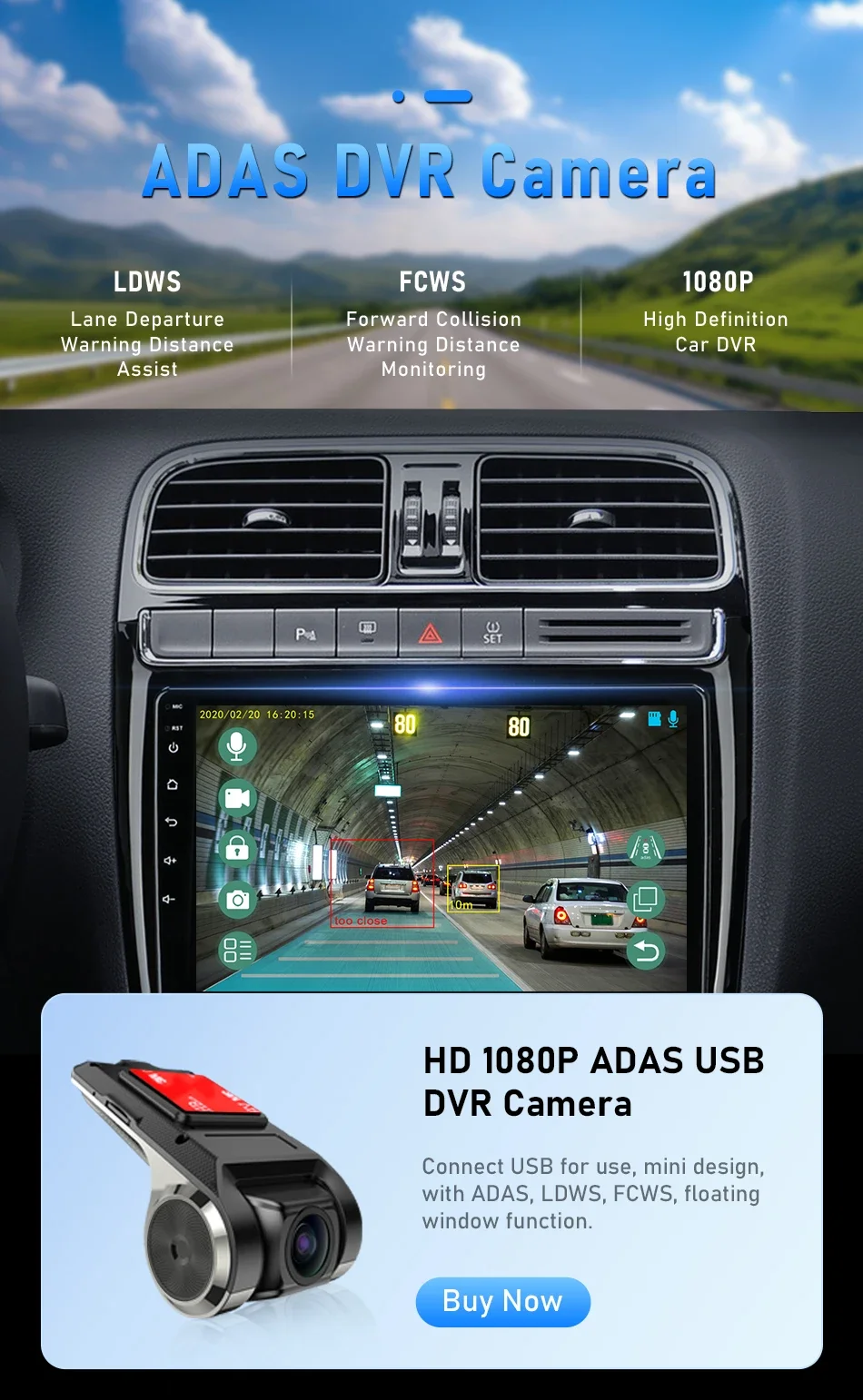
Equipped with the latest Android 13 system, this car stereo lets you download, install, and delete thousands of applications. It includes built-in offline maps, and with a WiFi/hotspot connection, you can use online maps as well. Additionally, the left and right screens can operate independently with different applications—for example, navigation for the driver and video playback for the passenger, or one side can listen to music while the other uses ADAS DVR functions 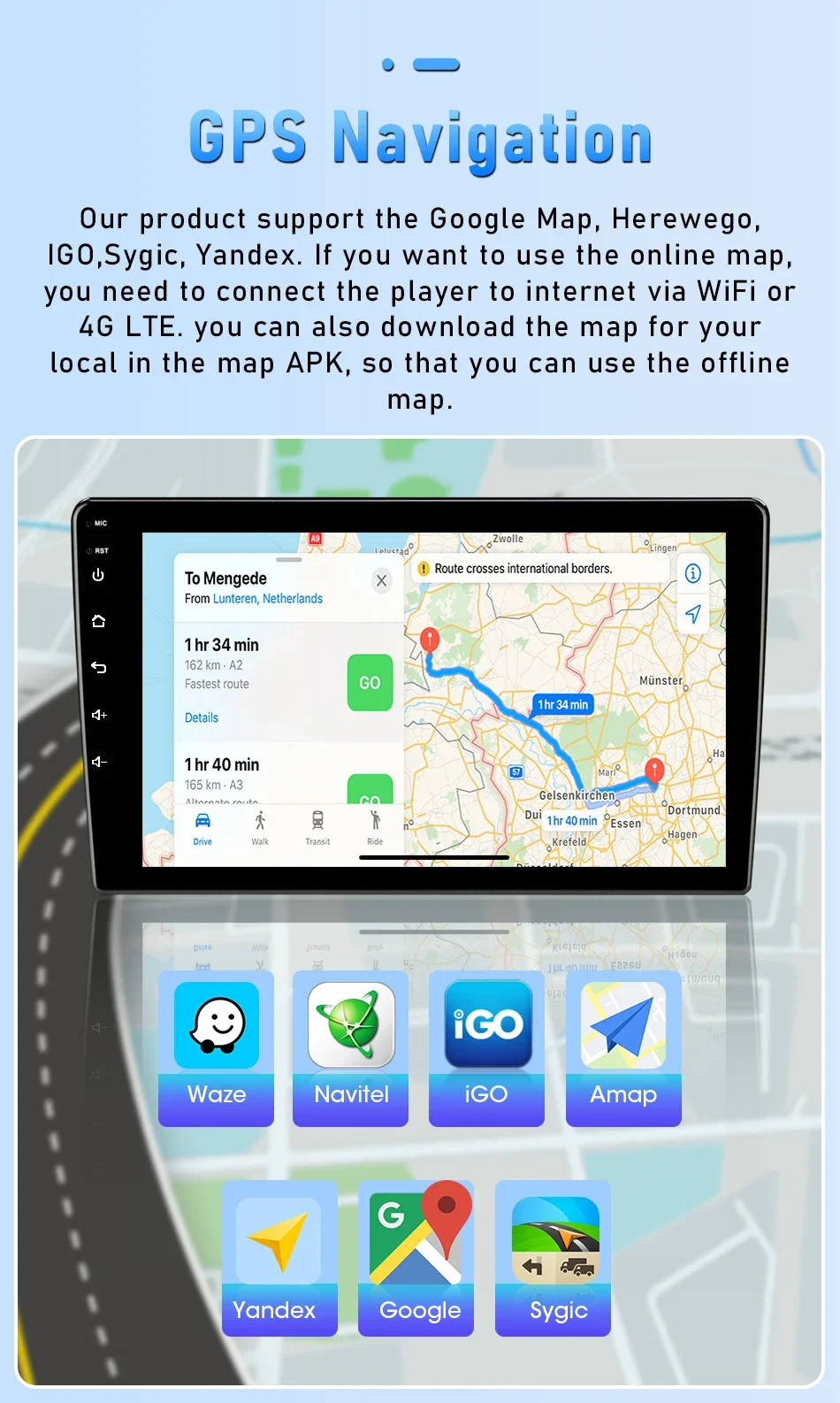
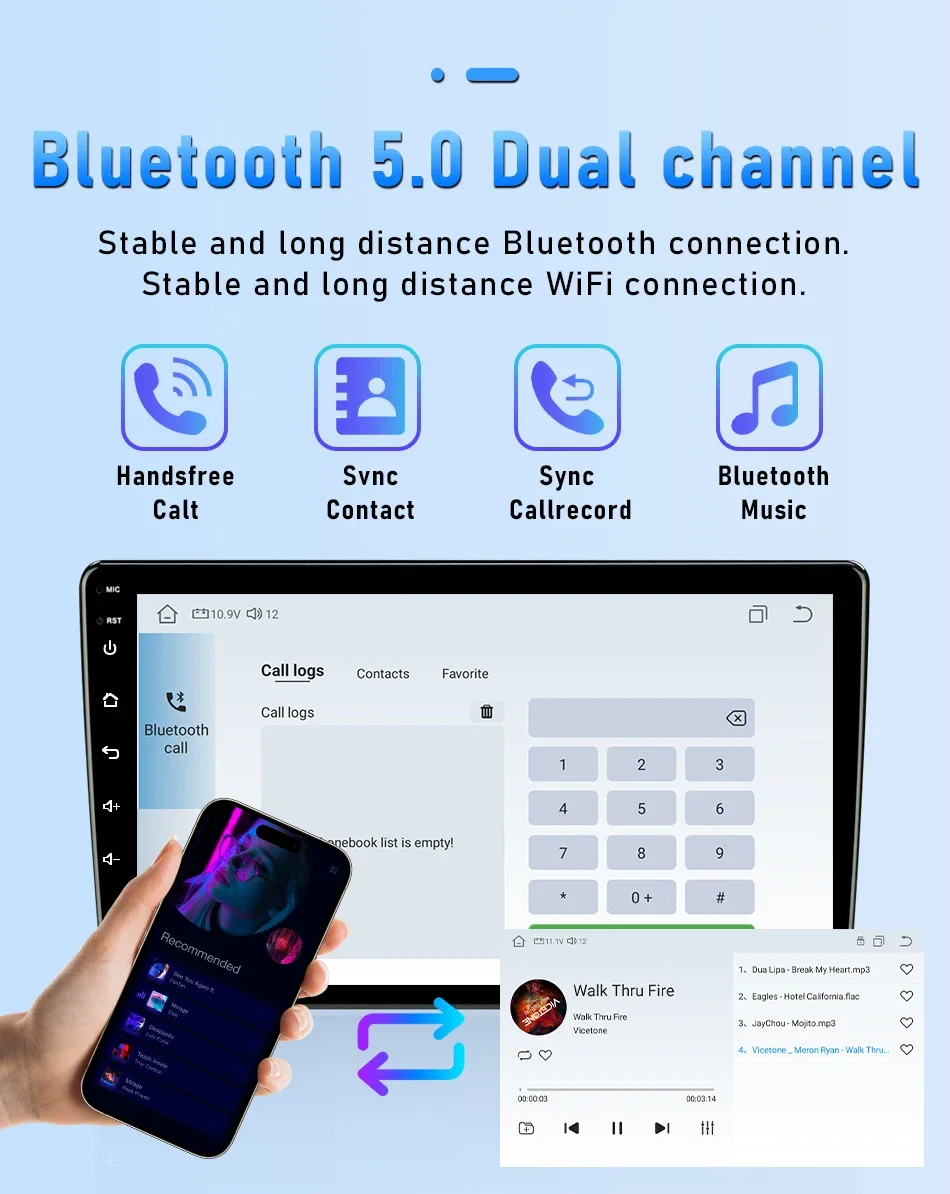
Bluetooth 5.0: Ultra-long-distance reception of Bluetooth signal, stable signal, anti-interference
Support Bluetooth connection, dial Bluetooth phone, built-in microphone of the radio, even if the surrounding environment is noisy, the radio supports external microphone connection, which can still guarantee your call quality.
Unlike models limited to WiFi, this radio allows you to stay connected even when you're out of range of WiFi signals, providing continuous access to internet-based services such as streaming music, real-time navigation updates, and voice commands. This ensures that drivers can enjoy uninterrupted entertainment and vital travel information, enhancing both the safety and enjoyment of their driving experience.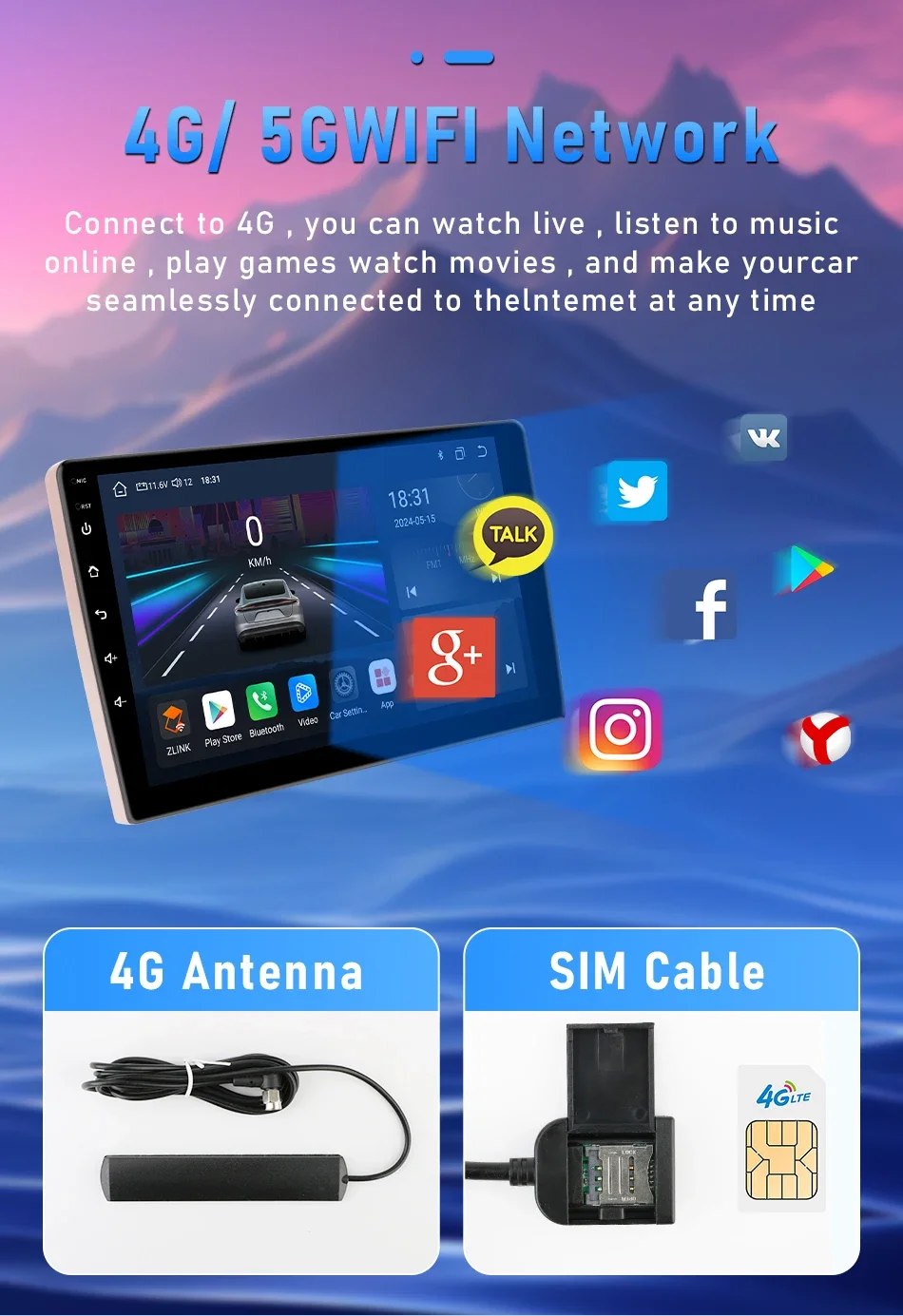
FAQ:
1.Why can't turn on the car radio ?
1.1 Please check the Voltage of car radio : 12V
1.2 When you test this car radio,you can combine the red and yellow wires and connect them to the positive side of the power supply.Black line to negative power supply.
1.3Replace the same type of insurance to test the car radio. Note: Please must use our power cables to connect our car radio,it is not possible to insert the original car plug directly into our machine.
2.Why the car radio will show "No Signal" when we reversing?
Please check if the camera's line is properly connected to the car radio. Note:The video port of rear camera must insert the "CAMIN" port of car radio.
3.Why does the camera display "!" and "Can't watch video while driving" when I use USB to watch videos?
Please turn off the "Video Warning" function in the settings,then will be OK.
4.Why can't search FM?
4.1: No radio antenna inserted;
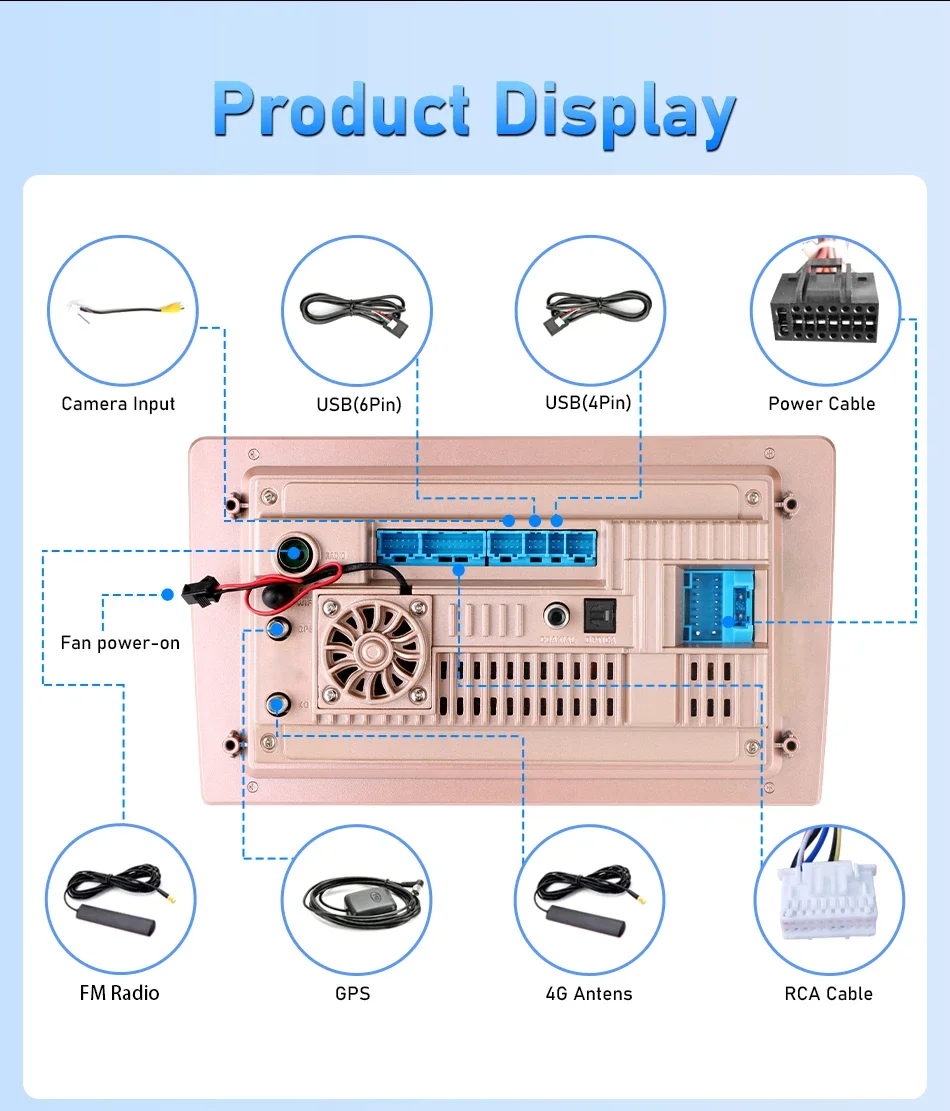
4.2: Please check if the radio antenna is plugged in. Please insert more antennas several times to make it well contacted;
4.3: The signal of your location is not good. Please go to a better place to test again
4.4: The radio antenna on the car is broken/no effect; please replace the radio antenna and test again.
5.Why can't connect the Bluetooth of car radio?
5.1.Open the phone settings interface, open the Bluetooth in the Bluetooth function, search for Bluetooth devices, find the player's Bluetooth model to be paired; if you need a pairing code, enter 0000; if not, try 1234 or 123456.
5.2.Please try to use another mobile phone to test this function. Please check if the Bluetooth receiving antenna is properly connected All methods are correct and still cannot use Bluetooth, Please unplug the plug on the back of the player and plug it in after 3 minutes.
6: Bluetooth signal is weak, WiFi signal is weak:
please check and reconnect the Yellow rear Camera input connector, there are 2 short cables, they are the extension cords of the Bluetooth antenna and the WiFi antenna, or you can extend them to enhance the signal.
7: The navigation map does not work,
check whether the GPS has a signal, click GPS signal detection, if there is a signal, then reinstall a new map or open the mobile WiFi hotspot. If there is no GPS signal, leave the garage and test the GPS interface voltage on the road. The voltage must be 3.3V, otherwise the GPS antenna should be replaced.
8: The screen display is abnormal,
click the one-key recovery button, if it can't be solved, remove the screw on the back, check whether the screen cable is loose, and reconnect the screen cable.
9: Abnormal sound:
1 Check whether the original car cable has been modified by another car owner. If so, please check the speaker cable and reconnect it.
2 Check whether there is an original car or a modif
10:Radio setting interface password:
T6 password: 111333, 1234, 1617, 16176699
K3/T10/T3L/T3L plus: 123456,8888,7890,000000
Programmer interface password: 7890 plus current time. For example, at 11 o'clock it is 789011. If it is 12 o'clock, it is 789012
11:The radio cannot be turned on
11.1. The condition for the radio to turn on is that ACC (G3) and 12V (G2) are connected to the positive pole of the car's 12V power supply, and G1 is connected to the negative pole of the power supply. There may be a very small probability that the power cord does not match your car. You can directly connect these 3 power cords Connect the power cord of the car without the radio
11.2. It may be that the connecting wire of the radio came off during transportation, just open the back cover to check and reconnect the connecting wire inside the radio
11.3. If you can't turn on after checking the above steps, please send a video to us for confirmation. The video needs to show that the power cord is normally connected, and test the connection cord with an electric meter to be 12V.


 Call us: +393312798971