If you have product questions, please click the picture below to contact professional customer service.👇👇👇👇

Note: If you choose the Zigbee version switch, a tuya zigbee gateway is needed for the Zigbee switch to be used normally.
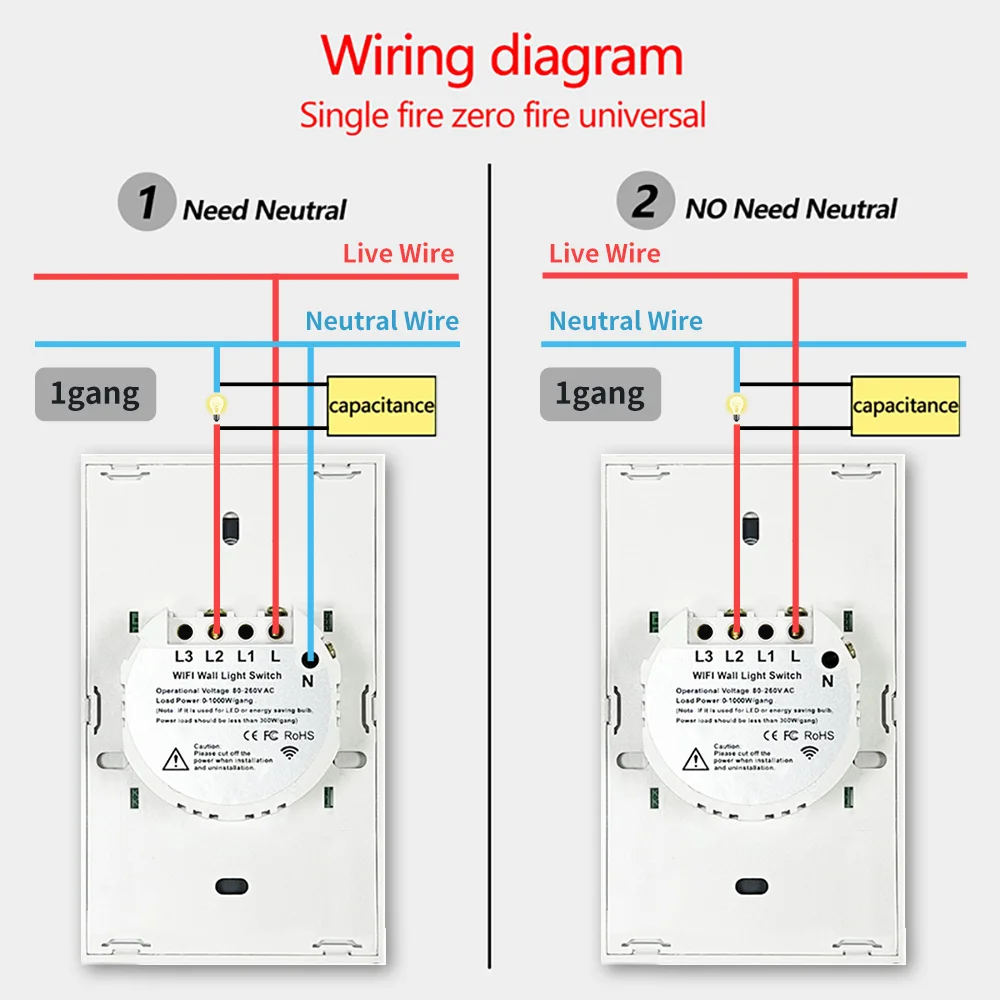
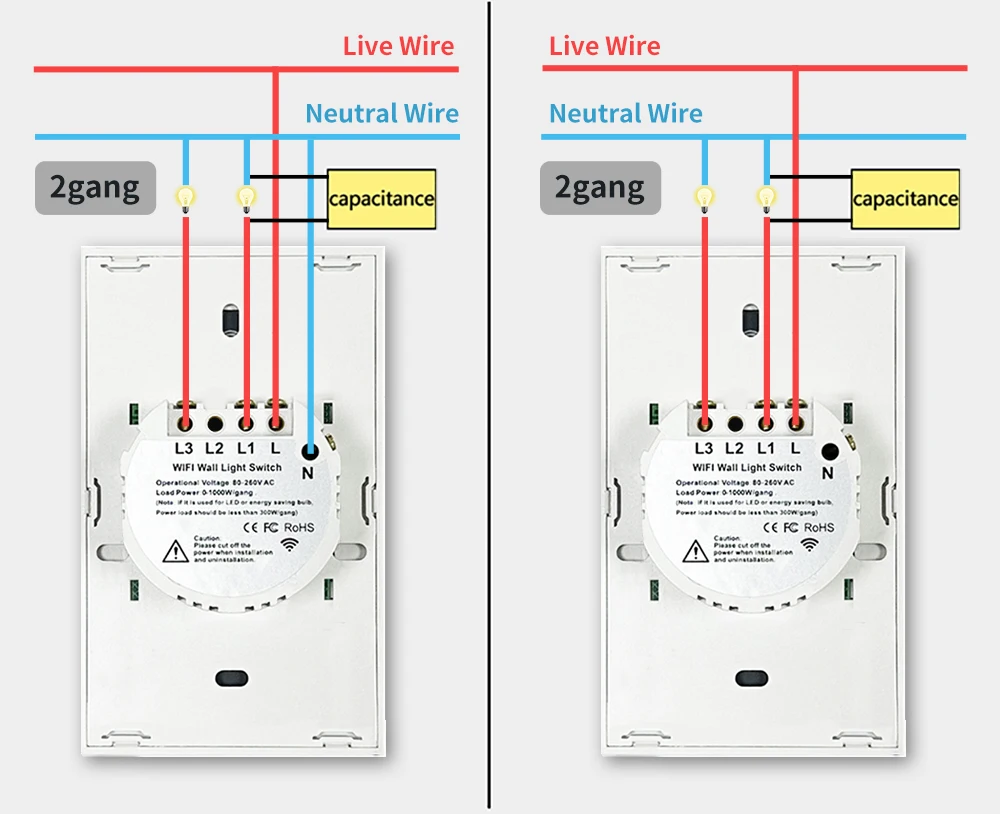
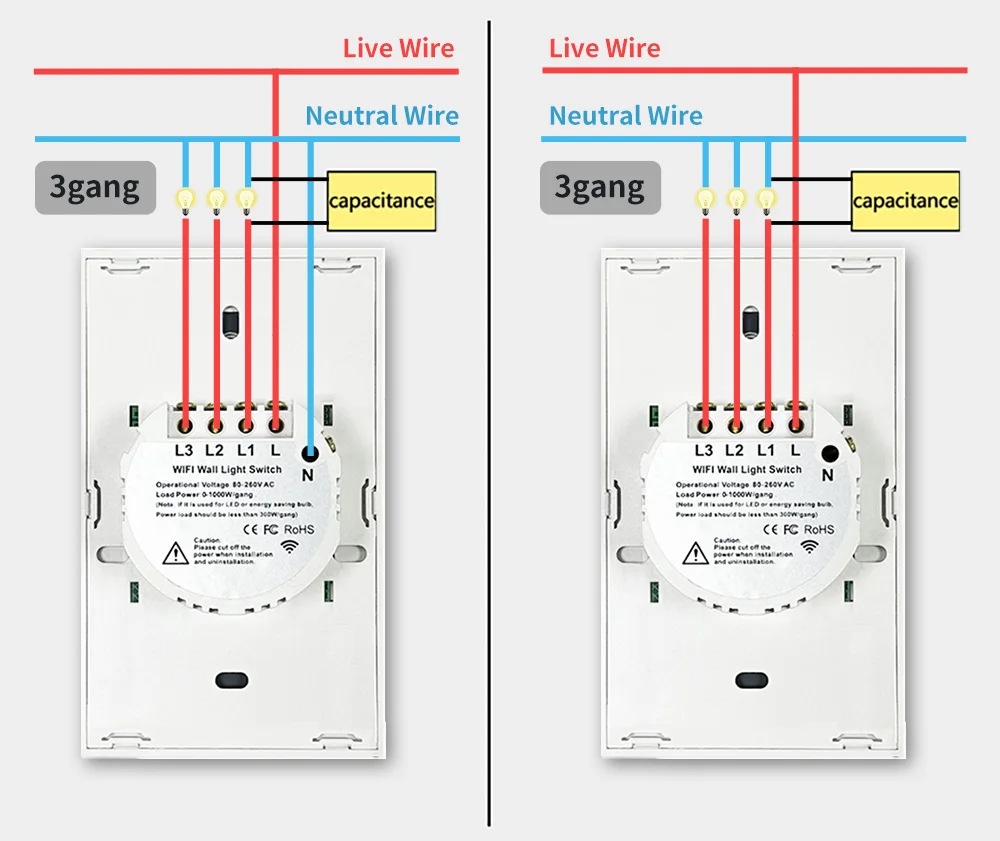
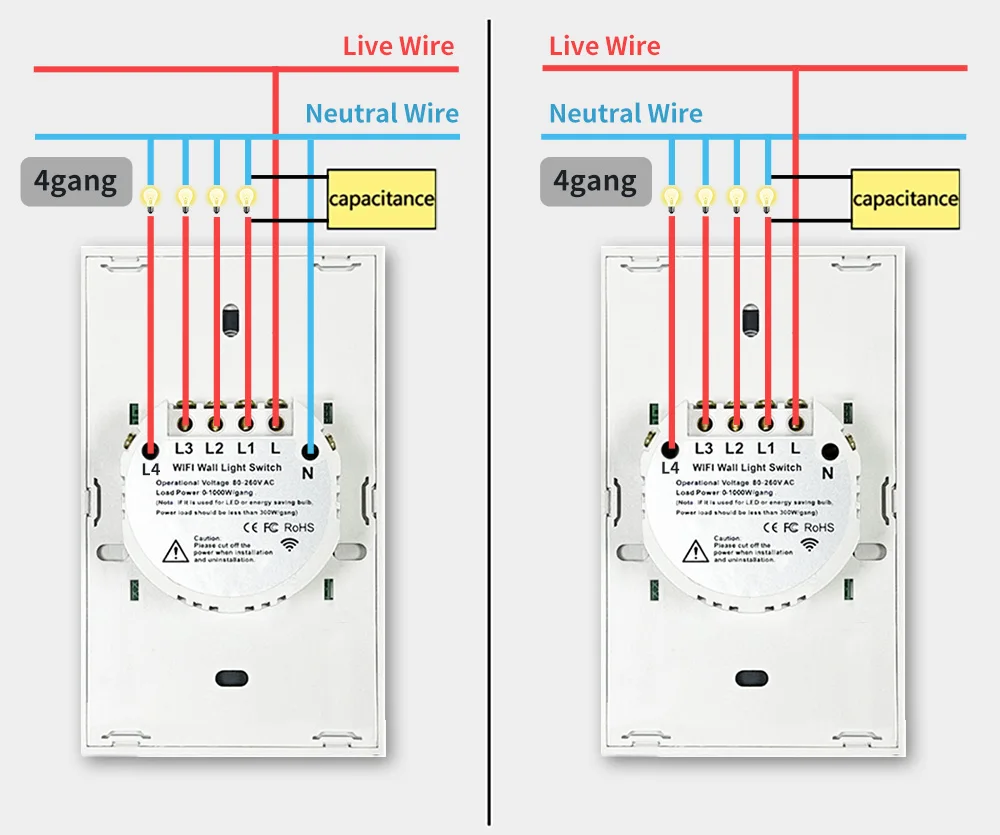
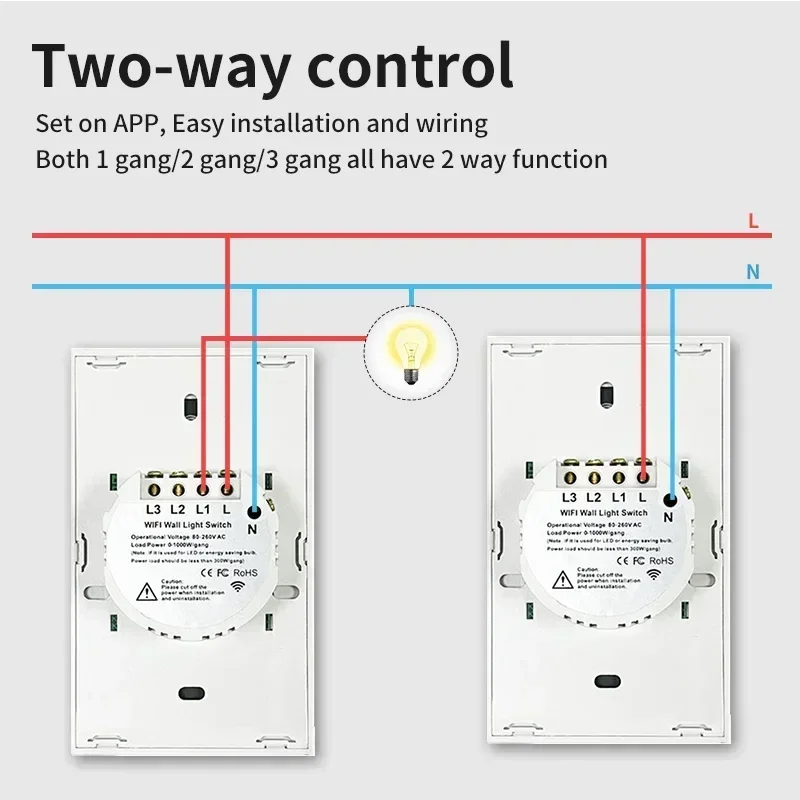
Two wiring methods (with neutral wire, without neutral wire)
First, you need to connect the bulb included in the package to both ends.
If there is a neutral wire, you need to connect the live wire (L), the neutral wire (N), and the bulb wire.
If there is no neutral wire, you need to connect the live wire (L) and the bulb wire.
 Two-way control, multi-control function
Set on the APP, easy installation and wiring. Switch 1 connects normal wiring and connects the light bulb. Switch 2 only needs normal wiring, no need to connect the light bulb.
Two-way control, multi-control function
Set on the APP, easy installation and wiring. Switch 1 connects normal wiring and connects the light bulb. Switch 2 only needs normal wiring, no need to connect the light bulb.
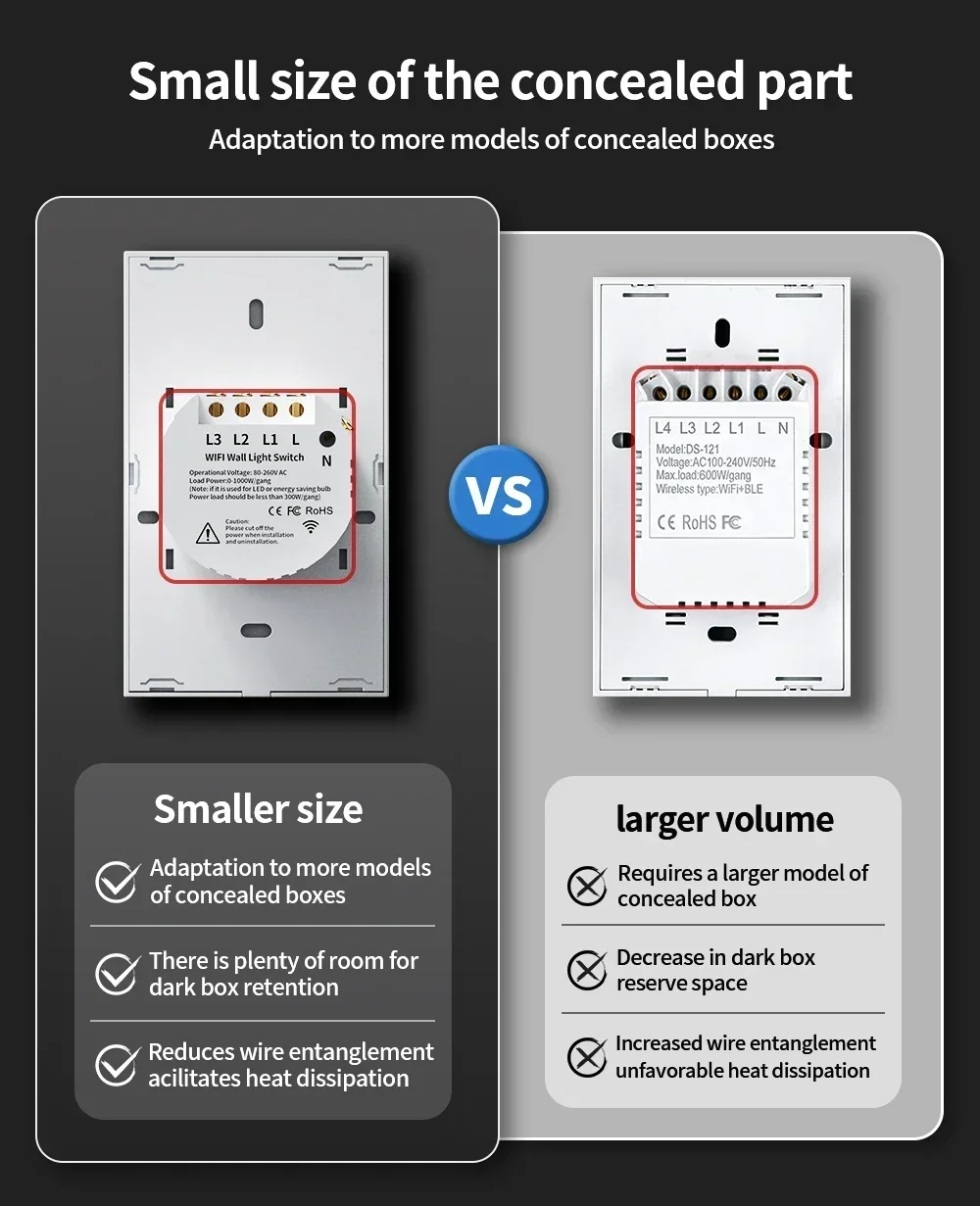
Smaller hidden parts:
Requires less space, making installation more convenient.
 433 MHz + WiFi or Zigbee More choices
You can control the switch using a 433-enabled product or a wireless network.
433 MHz + WiFi or Zigbee More choices
You can control the switch using a 433-enabled product or a wireless network.

Remote control via APP
The user can use a smartphone to remotely control home electronics anytime and anywhere, as long as the phone has 2G/3G/WIFI
network compatible with iOS and Android operating systems with SmartLife and Tuya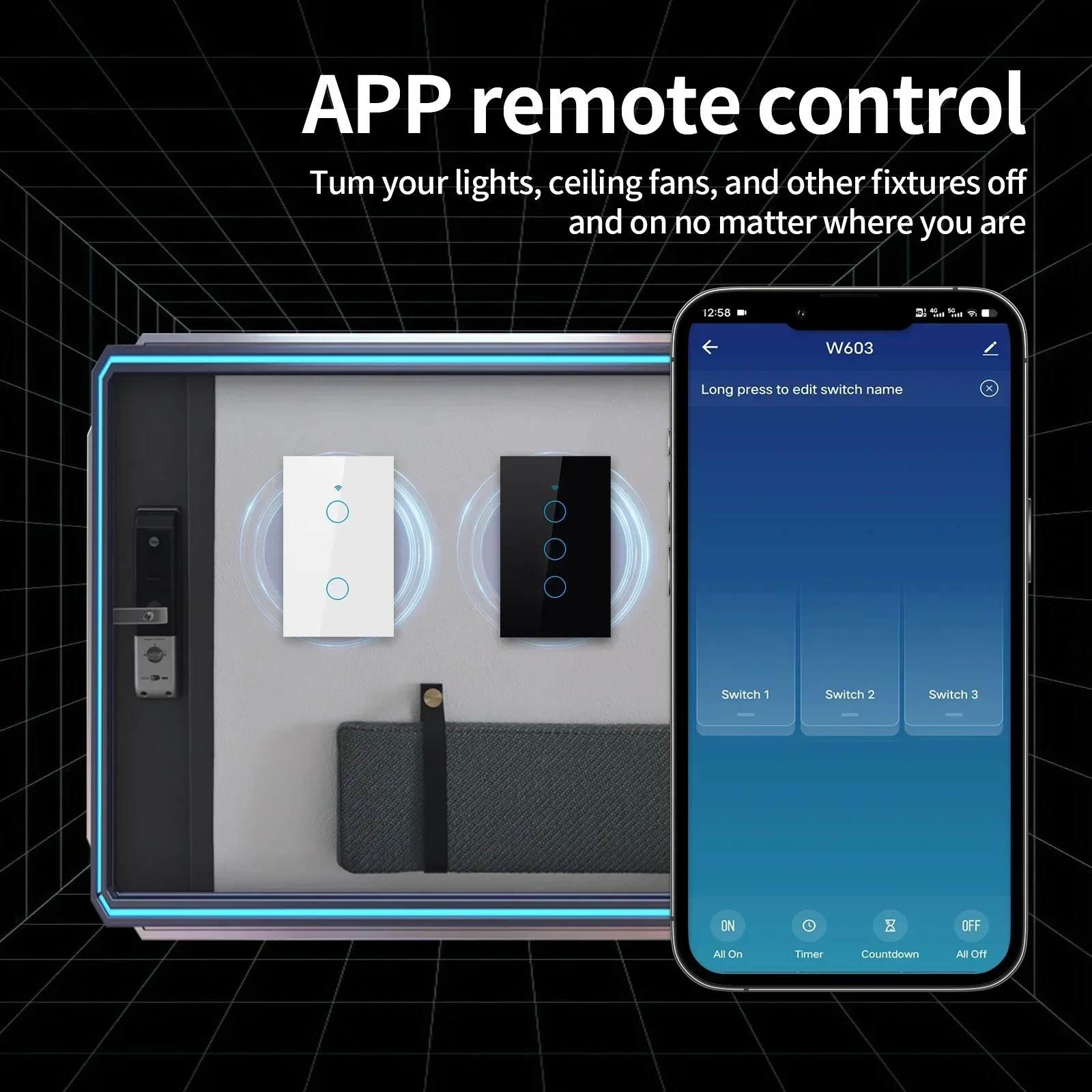
Control by Alexa and Google Home
Compatible with Amazon Alexa (Echo / Dot / Tap), Google Assistant. Ticket airlines with Amazon Alexa or Google Home.
to turn lights on or off with your voice, no hub required

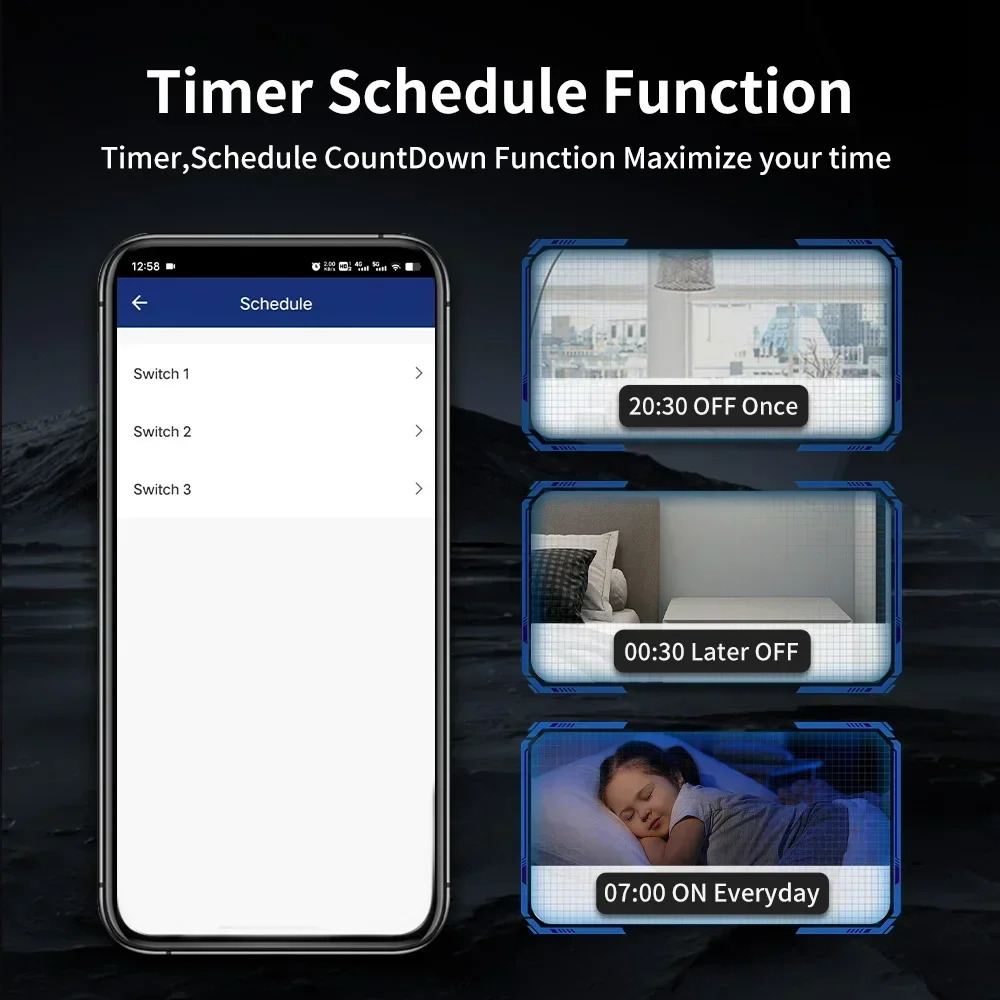
Timing
The smart switch automatically turns on and off at a preset time thanks to the timer function. Choose the time you want to wake up.
Automatically turn on the light, so you can start your day with ease; choose the time you want to turn off the light.
Waterproof
suitable for humid environments, the glass part of the panel is waterproof

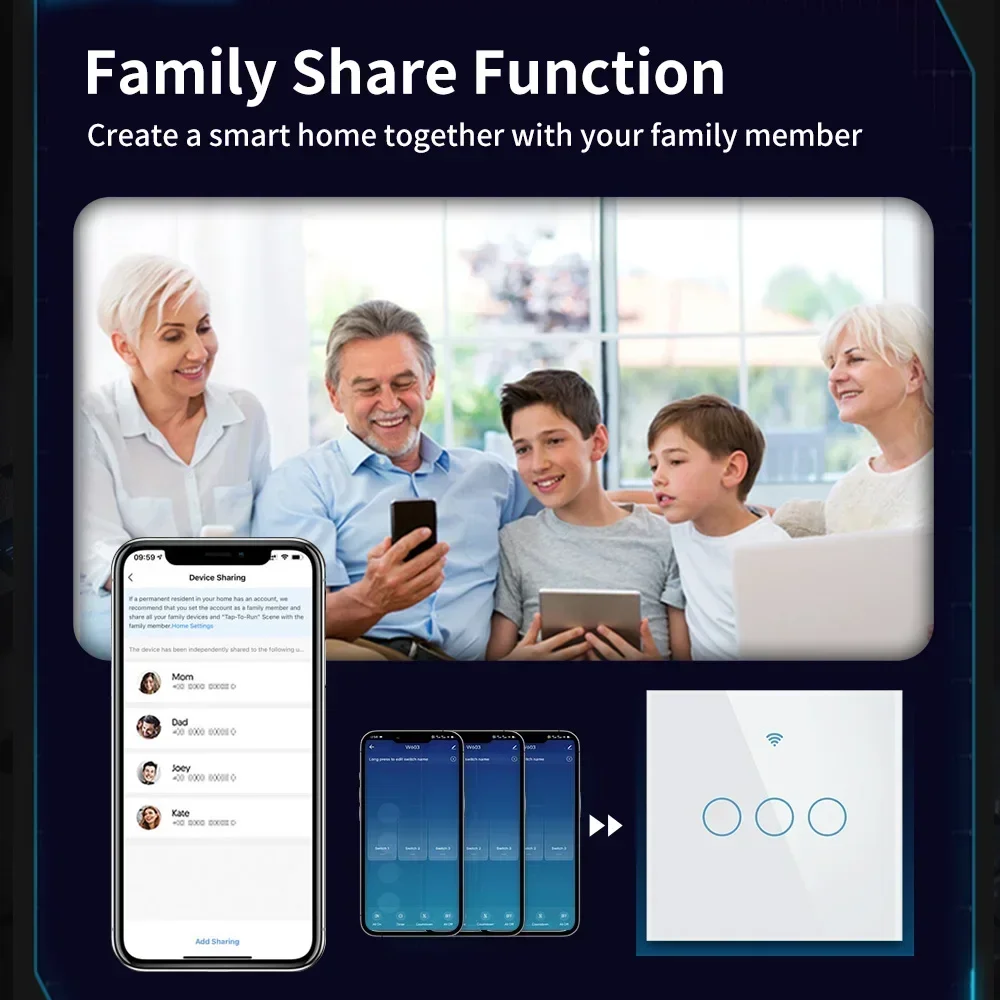
Share with family
The control switch can be shared with family members.

Questions and Answers:
1. Q: If the switch wiring is complete but the switch does not work properly or the bulb keeps flashing, what is the cause?
A: If you have wired the switch without connecting a neutral wire *and* have not installed a capacitor between the bulb terminals, both the switch and the bulb may not function properly. You just need to connect a capacitor between the bulb terminals to ensure the device operates normally.
2. Q: Does this panel support both neutral line and no neutral line wiring configurations?
A: Both methods are supported. If a neutral line is available, you can connect it in the standard configuration; if there is no neutral line, you must connect a capacitor to the bulb terminals. Please refer to the wiring diagram below for specific connection details.
3. Q: If the touch switch on the panel does not light up, but the light can still be controlled normally via the mobile app, how can I solve the problem?
A: Remove the glass panel and check if the back of the casing has warped during installation and assembly. If the back of the casing is indeed warped, slightly loosen the mounting screws.
Once the screws are loosened, the back of the housing should automatically return to its original position. After the back of the housing has returned to its normal state, reattach the glass panel; the switch should then resume normal operation.
4. Q: Is it possible for two separate switches to control a single bulb simultaneously?
A: Yes, it is possible. You can configure a "multi-control association" within the app to allow multiple switches to control a single bulb in tandem. Specific wiring and configuration instructions are provided in the images below.


 Call us: +393312798971


