Important notice before you buy it!
The peephole camera does not work if it is not connected to Tuya/SmartLife app by your home WiFi network.
- Connect the peephole camera part to the monitor by cable, then turn on the monitor, and follow the User Manual to add it to Tuya/SmartLife App. ( If you don't connect the camera to the monitor, and ONLY turn on the monitor, the monitor will not be able to show the video).
Only support 2.4Ghz WiFi to connect to Tuya/SmartLife App. 5Ghz WiFi and BLE NOT supported!
The monitor will NOT automatically turn on when PIR is triggered.
Only support event recording; NOT SUPPORT continuous recording.
When the indoor monitor is pressed, it will light up for about 8-10 seconds and then automatically turn off. You cannot turn it off by pressing the monitor button again.
Recently Tuya updated the APP with Loop Recording. You can't enable it by APP, because our product supports LOOP RECORDING by default. So you can ignore this setting!
If you are new to this product, we kindly invite you to watch the video below on how to install and add it to APP!
【Tuya Smart Digital Peephole with 4.3" LCD Screen & 3MP Clear Day & Night Vision Camera】
It can connect to the WiFi router wirelessly. You can monitor (portable devices including smartphones, Android tablets) and use one-way intercom with noise reduction. The system function menu is in the mobile app console instead of on the indoor display. (The device is widely used in homes, apartments, villas, hotels or offices, etc.). At the same time, the large 4.3" LCD screen allows you or your family to see clearly and sharply what is happening outside the door.
With 940nm LED lights to provide NO red exposure at night.
【PIR Detection & 140° Wide Viewing Angle】
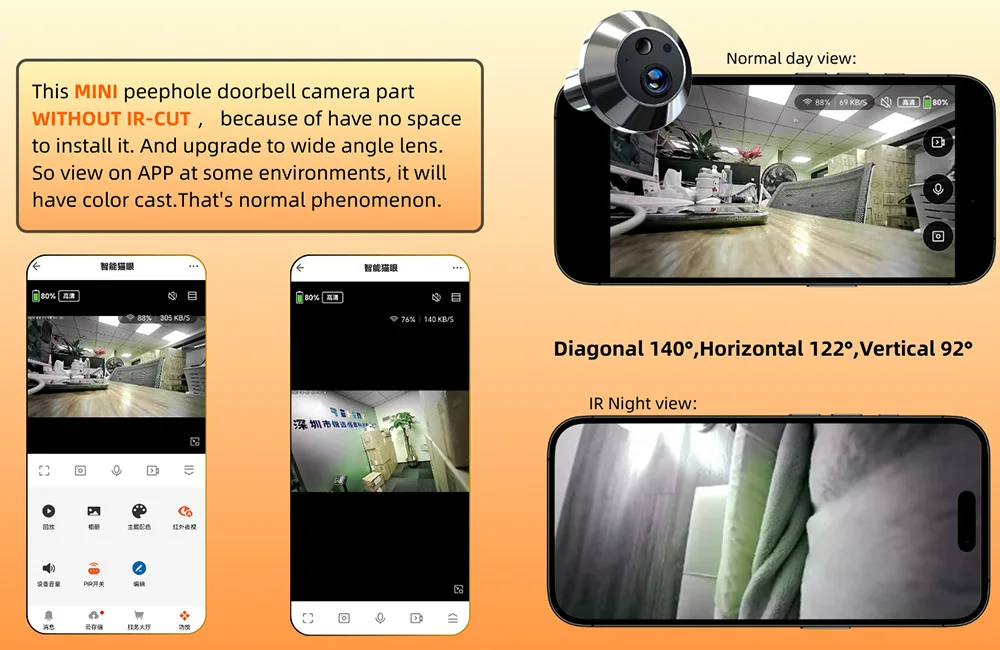
Using a 3MP camera with a wide viewing angle: Diagonal 140°; Horizontal 122°; Vertical 92°, easily maximize your home's security with a clear view of your entryway. Automatic sensitivity switching day/night vision (adjustable; distance of about 3-4 meters), TFT color LCD display, suitable for AHD images and videos. Motion detection (PIR motion sensor can automatically detect body movements and trigger push notifications and videos (stored on TF card or cloud storage, subscription needed) in seconds, keeping your home safe 24/7.
【One-Way Intercom Provides Convenience】
When someone rings the doorbell, the PIR sensor activates and your app receives notifications. You can then check the live view, see who is at the door, and hear what the visitor says. The visitor, however, cannot hear what you say. This is because the door camera is so small that a speaker cannot be installed.
【Long-lasting Battery Life & App Control】
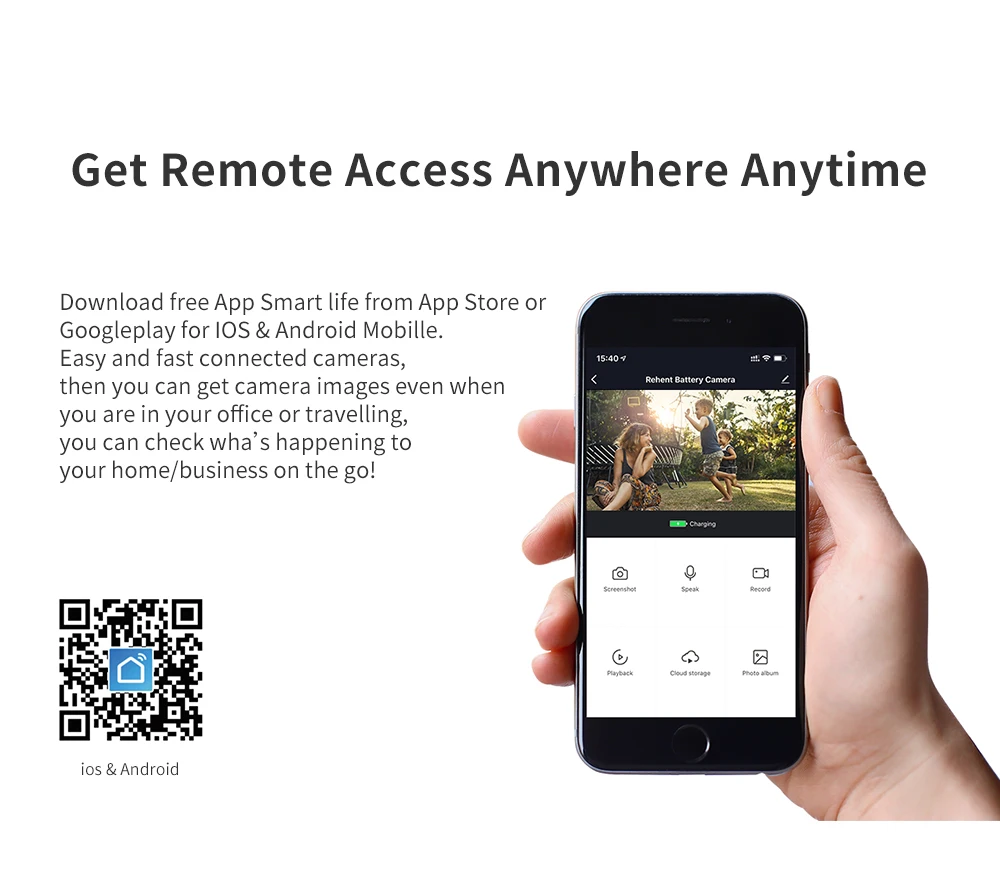
Built-in 5000mAh high-capacity rechargeable battery, supports up to 30 days standby (usually 5-10 calls per day), low battery reminder and charging via Type-C port. This digital peephole is compatible with both iOS and Android, download the Smart Life app to receive every detail of what happens at your front door every day, anywhere, anytime. Never miss a visitor and prevent theft, strangers or curious onlookers.
【TF Card or Cloud Storage】
Supports TF cards up to 128GB for local or event recordings. Cloud storage requires a subscription.
Door hole and peephole diameter and door thickness requirements are required
Please note that installation requires a hole through which the camera can be connected to the screen.
Wide Viewing Angle to Cover More
Tuya WiFi 3MP 1080P Peephole with Door Camera and 4.3-inch Screen
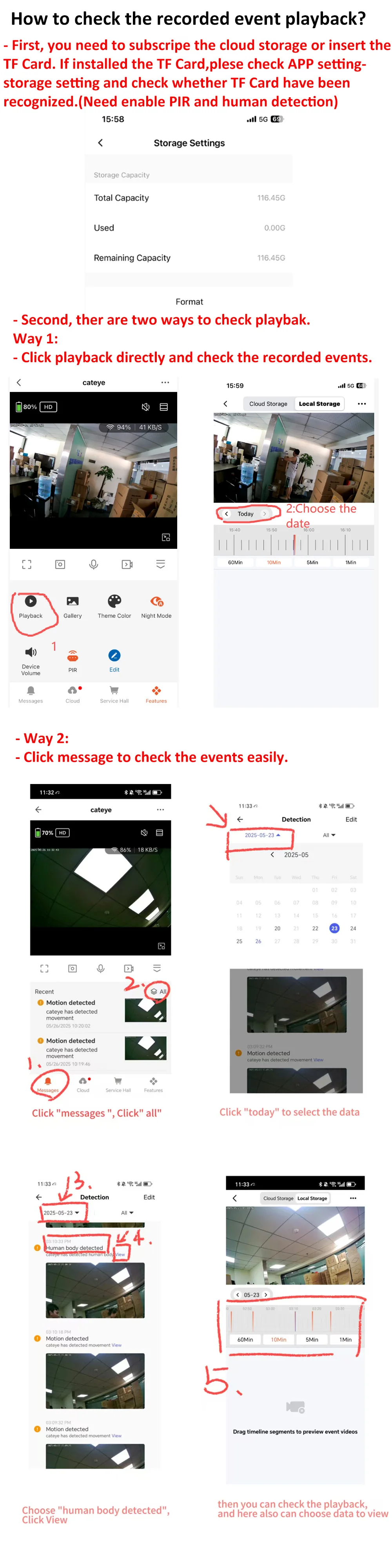
Smart Recording and Playback
Supports Max 128G TF card (not included) for event recording or cloud storage subscription.
Questions and Answers About the Tuya 4.3 Inch Peephole Camera
1: What is the battery capacity of this digital viewer? Operating time?
- It is a doorbell camera with a built-in 5000 mAh rechargeable lithium battery
- Works for 1-2 months based on 10 triggered movements per day
2: 3MP Digital Viewer, what is the APP name? Does it support Alexa and Google voice commands?
It uses the "Tuya Smart" or "Smart Life" app. You can download it from the App Store.
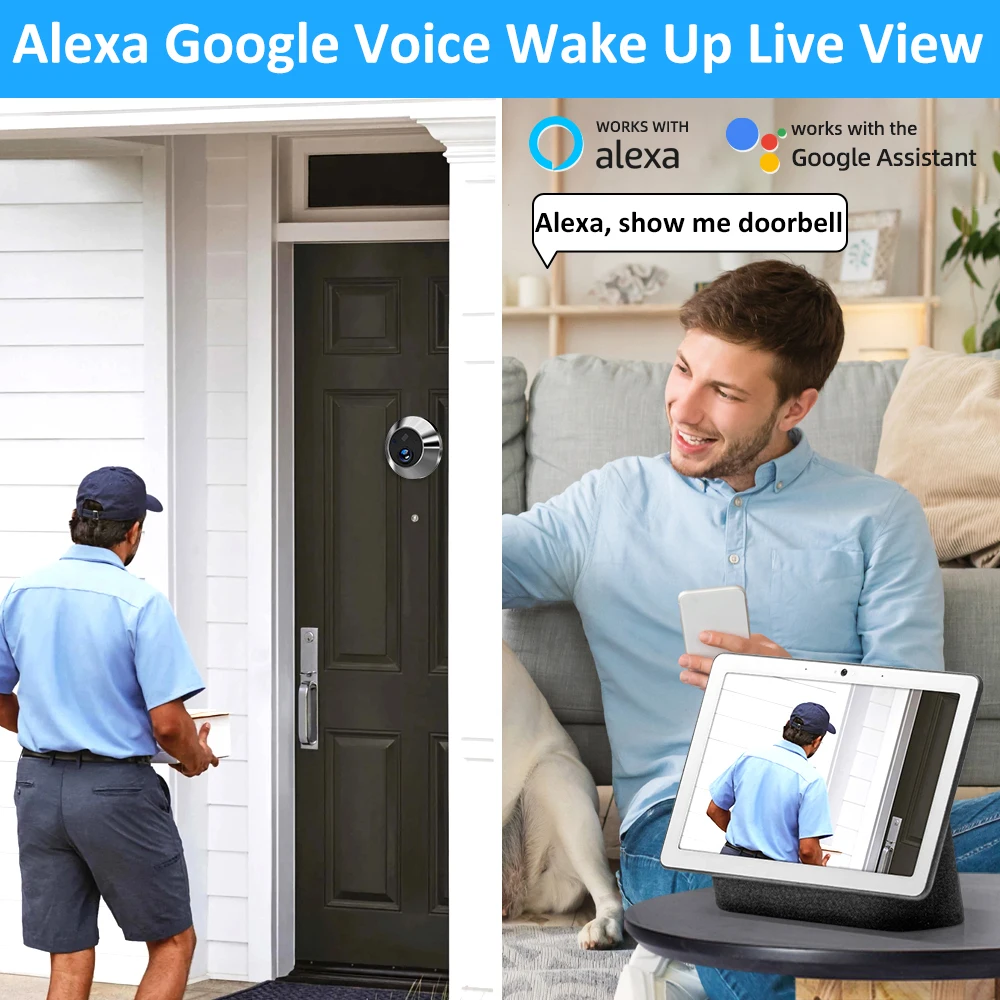
- If you need it to work with Echo Show, please select the SKU that says Alexa. It works to activate the doorbell camera via voice command: "Alexa, show device name" or "Hey Google, show device name".
3: Is it necessary to have an existing peephole to use this product?
No... I don't think so. But you will probably have to drill a hole in the door for the camera, unless it already has a peephole to replace.
4: What is the viewing angle of the digital viewer? Does it support night vision?
- Supports a 140° wide viewing angle
- Supports clear 3MP night vision with a distance of 5-8 meters
5: When I connect the door camera to the monitor, but the monitor does not show the video? How to solve it?
- Make sure the door camera cable is connected to the monitor in the correct direction
- Also, push hard to make sure it connects properly.
6: Is it possible to turn off the monitor by pressing the monitor button?
- It is NOT supported to press the doorbell button to turn off the monitor. The monitor will AUTOMATICALLY turn OFF after 10 seconds.
- The 4.3-inch indoor monitor will NOT turn on automatically when the PIR detects motion.


 Call us: +393312798971